OGALLERY FEATURES

EVERYTHING YOU NEED
TO BUILD EXCEPTIONAL
WORDPRESS GALLERIES

OGALLERY is much more than a gallery plugin. It is a complete visual system for creating, styling, organizing, protecting and presenting photography, portfolios, product images and client galleries — with extensive control over every detail.
OGALLERY Gallery Studio

PROFESSIONAL GALLERY LAYOUTS

Create completely different visual experiences without changing plugins.

OGALLERY professional gallery layouts

Grid Gallery

Clean, structured layouts with full control over image ratio and columns.

Masonry Gallery

Natural image proportions arranged in flowing columns.

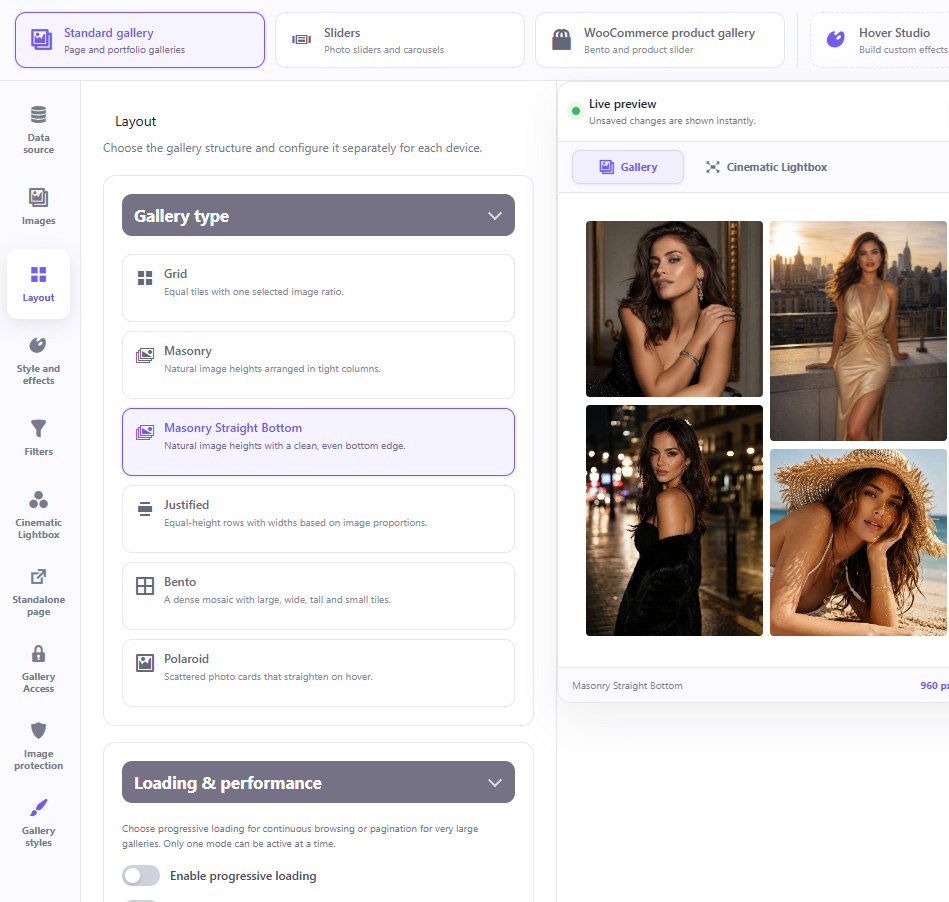
Masonry Straight Bottom

The organic Masonry look with a perfectly aligned bottom edge.

Justified Gallery

Elegant equal-height rows with naturally calculated image widths.

Bento Gallery

Modern editorial compositions mixing large, wide, tall and small images.

Manual Bento Layouts

Define the size of individual tiles yourself for completely custom compositions.

Polaroid Gallery

Overlapping photographic cards with natural rotations and interactive movement.
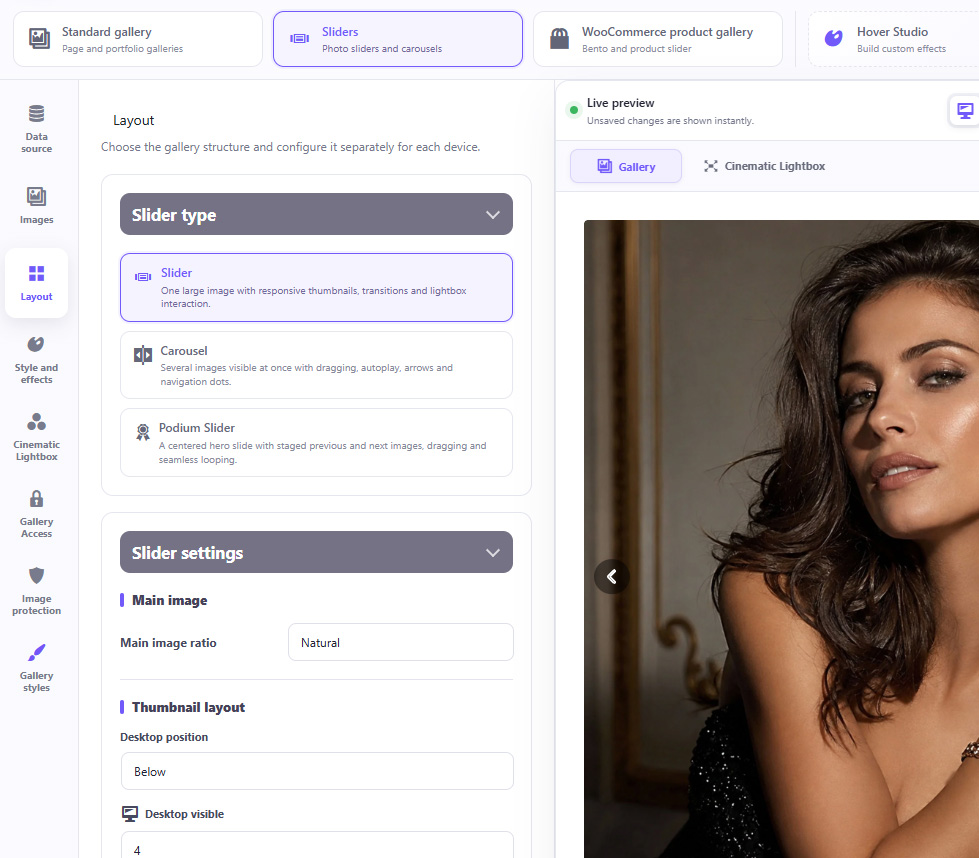
INTERACTIVE SLIDER GALLERIES

Turn a standard photo collection into a highly interactive presentation.

01 Classic Slider
02 Multi-Image Carousel
03 Podium Slider
OGALLERY slider gallery settings and live preview
Drag and swipe navigation
Seamless looping
Autoplay
Pause on hover
Navigation arrows
Navigation dots
Thumbnail navigation
Adjustable transition speed
Custom slide proportions
Image focal point controls
Responsive number of visible slides
Independent desktop, tablet and mobile configuration

WOOCOMMERCE PRODUCT GALLERIES

Replace ordinary product image galleries with modern, premium presentations.
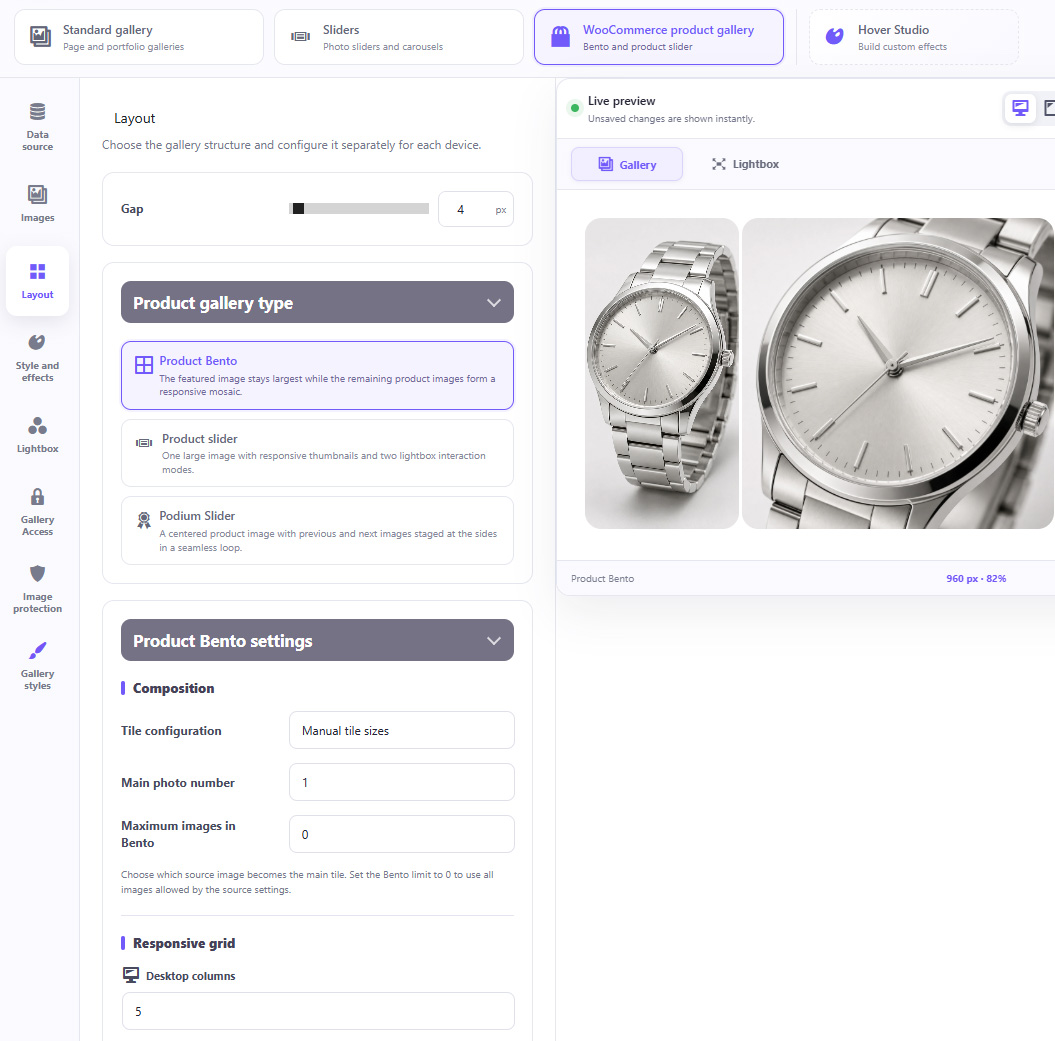
01 Product Bento Gallery
02 Product Slider
03 Product Podium Slider
OGALLERY WooCommerce Product Gallery Studio
01

Automatically use the WooCommerce featured image and product gallery

02

Use images from the current product or another selected product

03

ACF-powered product image sources

04

Responsive thumbnail navigation

05

Horizontal or vertical thumbnails

06

Custom thumbnail sizes, ratios, spacing and borders

07

Main image fit and focal point controls

08

Arrows, counters and slideshow

09

Looping and transitions

10

Lightbox integration

11

Featured-image-first layouts

Perfect for stores where product photography is an important part of the buying experience.

DESIGN FOR DESKTOP AND
MOBILE DEVICES

OGALLERY does not simply shrink the desktop gallery.

Design the experience separately for:
02 TABLET
OGALLERY tablet gallery configuration
01 DESKTOP
1440
OGALLERY desktop gallery configuration
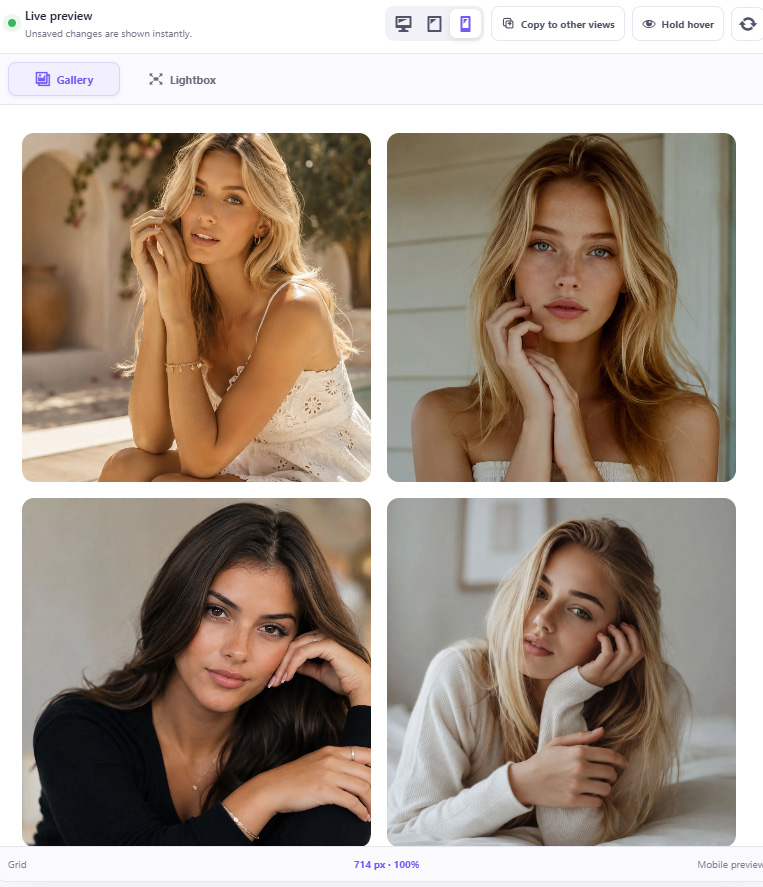
03 MOBILE
OGALLERY mobile gallery preview

Adjust responsive settings including:

01Columns
02Gaps
03Image proportions
04Slider dimensions
05Visible slides
06Typography
07Thumbnail layouts
08Progressive loading
09Pagination
10Filters
11Lightbox typography
12Social Sharing
13Album layouts
14Standalone pages
15Navigation elements

Your gallery can genuinely behave differently on every device.

EXTENSIVE GALLERY STYLING

Create anything from a minimal photography portfolio to a bold editorial presentation.

RATIO 01
CROP 02
RADIUS 03
OGALLERY extensive gallery styling controls
SHADOW 04
OVERLAY 05
SPACE 06

Control:

01 Image ratio
02 Custom image ratio
03 Cover or Contain image fitting
04 Image focal point
05 Horizontal and vertical crop position
06 Corner radius
07 Individual corner values
08 Borders
09 Border styles
10 Border opacity
11 Shadows
12 Overlay colors
13 Overlay opacity
14 Backgrounds
15 Gradients
16 Spacing
17 Content padding
18 Image entrance animations

The gallery adapts to your design — not the other way around.

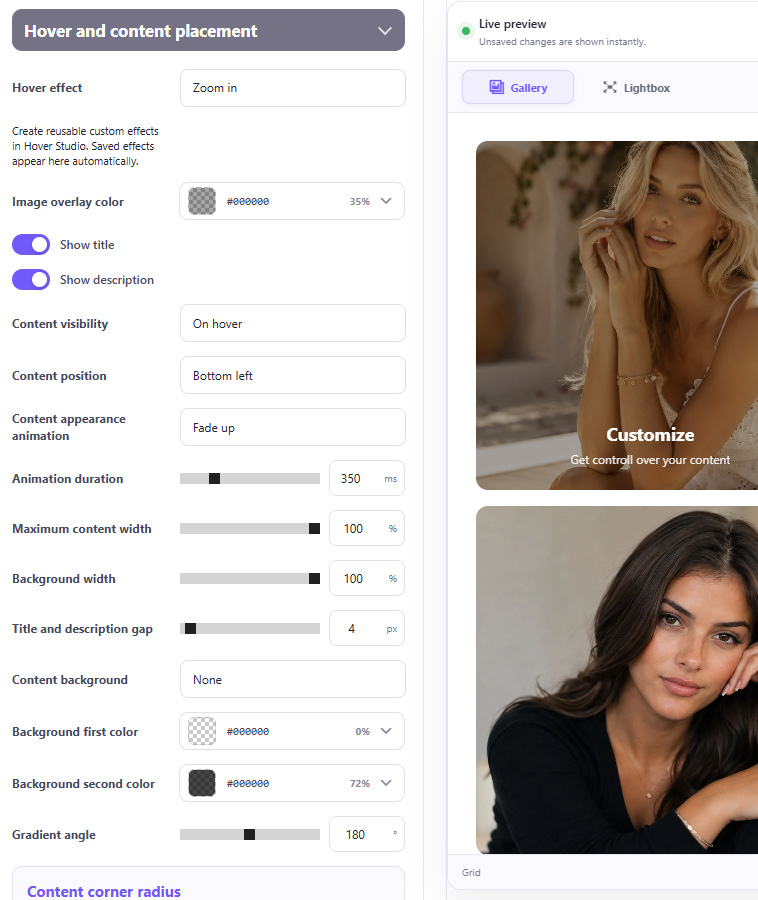
BUILT-IN HOVER EFFECTS

Add professional interactions instantly without writing CSS or JavaScript.

Built-in effects include:
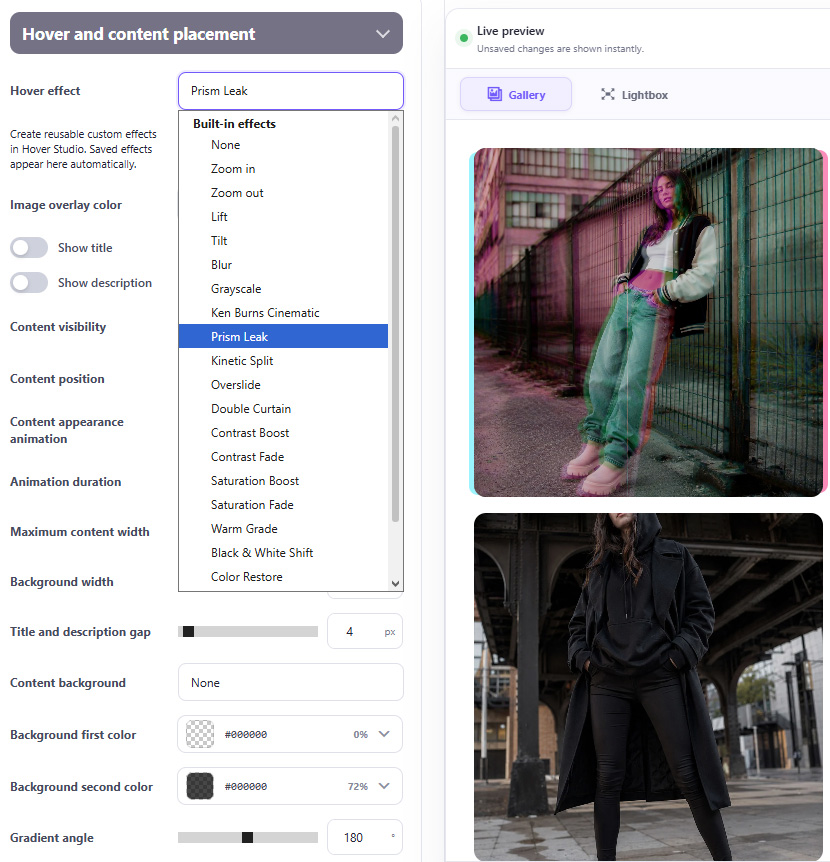
OGALLERY built-in hover effects

Many effects include additional controls for strength, speed, direction, color and intensity.

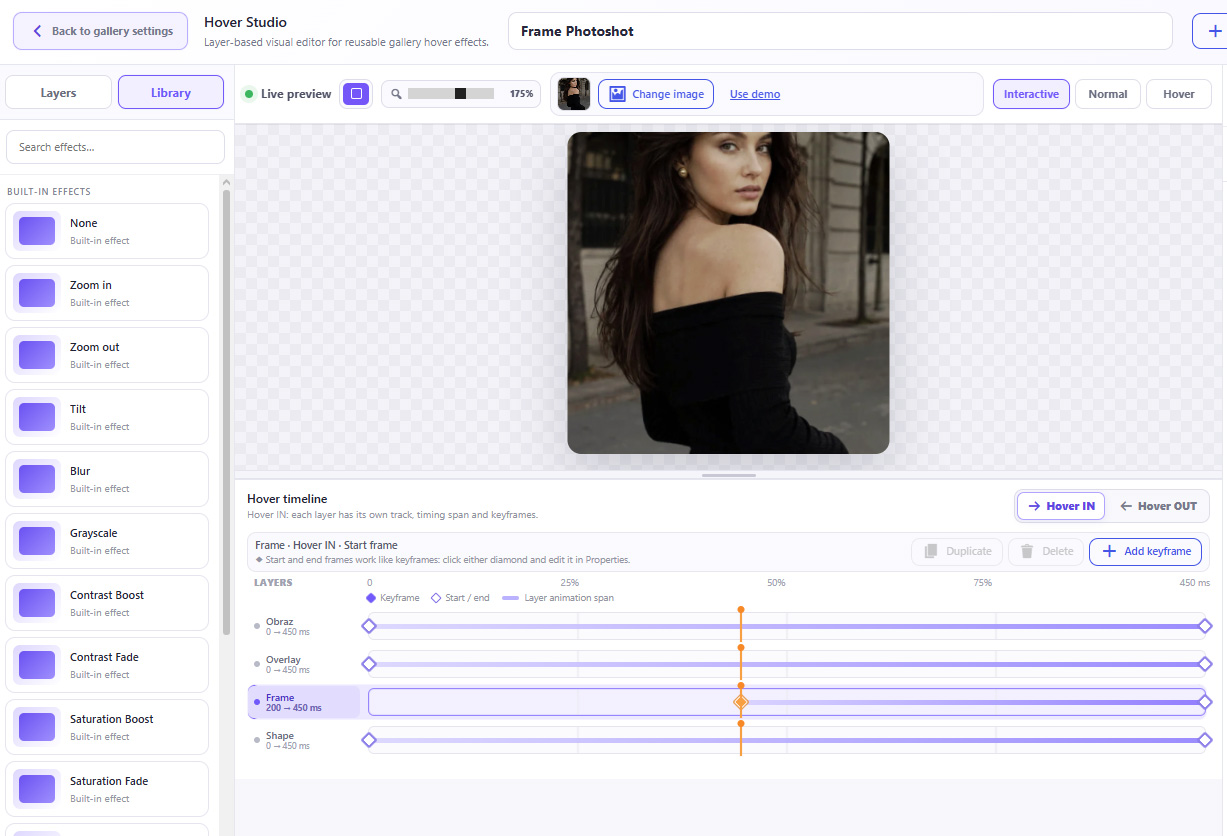
HOVER STUDIO

Go far beyond predefined hover effects. Hover Studio lets you build your own interactive effects visually.

OGALLERY Hover Studio timeline and effect library
01

Create effects using independent layers such as:

01Image
02Overlay
03Title
04Description
05Custom text
06Icons
07Shapes
08Filter Masks
09Additional image layers
02

Animate properties including:

01Position
02Scale
03Rotation
04Opacity
05Width
06Height
07Filters
08Transformations
03

Use:

01Normal and Hover states
02Timeline animation
03Keyframes
04Custom timing
05Layer ordering
06Shape editing
07Filter masks
08Multiple layers
09Undo / Redo
10Mobile behavior settings

Save your creations to My Effects and reuse them across galleries.

Hover effects can also be exported and imported, making it easy to move custom designs between websites.
TITLES, DESCRIPTIONS & OVERLAY CONTENT

Photography does not have to stand alone.

OGALLERY titles descriptions and overlay content controls
Display and style:
01 Image titles
02 Descriptions
03 Hover icons
04 Backgrounds
05 Gradient backgrounds
OGALLERY hover icon selection

Control:

01 1,900+ Google Fonts
02 Font size, Weight, Line height, Letter spacing, Text transformation, Alignment, Color
03 Opacity, Padding, Background, Radius
04 Animation

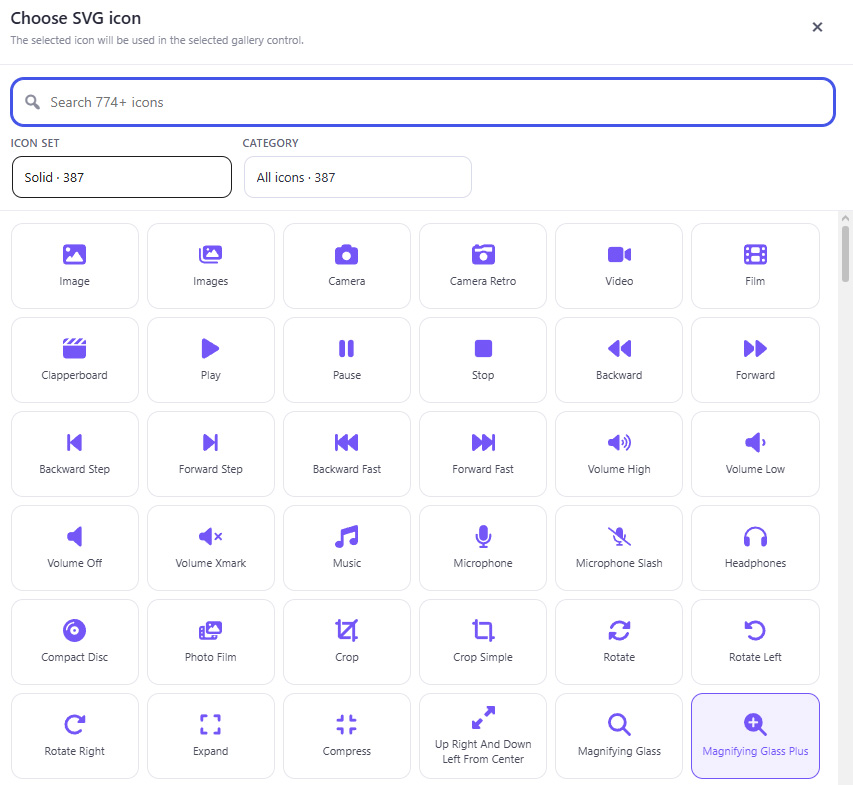
700+ CUSTOM HOVER ICONS

Add an interactive visual cue to gallery images.

OGALLERY custom hover icon selection

Control:

01 Icon selection
02 Position
03 Size
04 Color
05 Opacity
06 Background
07 Padding
08 Border
09 Radius
10 Animation

The icon can become a fully designed part of the gallery rather than a fixed generic symbol.

ADVANCED IMAGE MANAGEMENT INSIDE GALLERIES

Manage gallery content without leaving Gallery Studio.
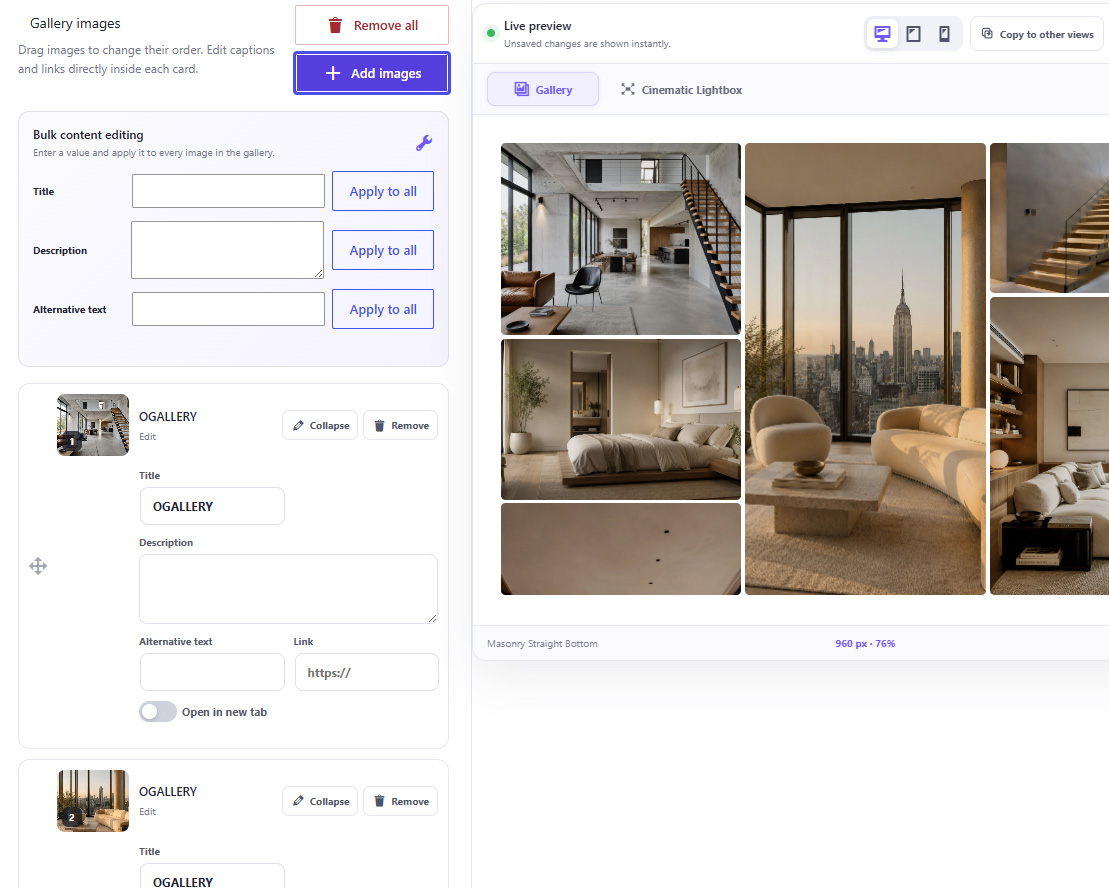
OGALLERY advanced image management inside Gallery Studio
01 Drag images to reorder them
02 Edit titles
03 Edit descriptions
04 Edit ALT text
05 Add image links
06 Open links in a new tab
07 Bulk-edit gallery content
08 Remove or add images instantly
09 Choose a custom gallery thumbnail for the WordPress gallery list

ADVANCED IMAGE MANAGEMENT INSIDE GALLERIES

Manage gallery content without leaving Gallery Studio.

OGALLERY advanced image management inside Gallery Studio
01 Drag images to reorder them
02 Edit titles
03 Edit descriptions
04 Edit ALT text
05 Add image links
06 Open links in a new tab
07 Bulk-edit gallery content
08 Remove or add images instantly
09 Choose a custom gallery thumbnail for the WordPress gallery list

DYNAMIC GALLERY SOURCES

A gallery does not have to contain a manually selected static list of images.

Choose between:
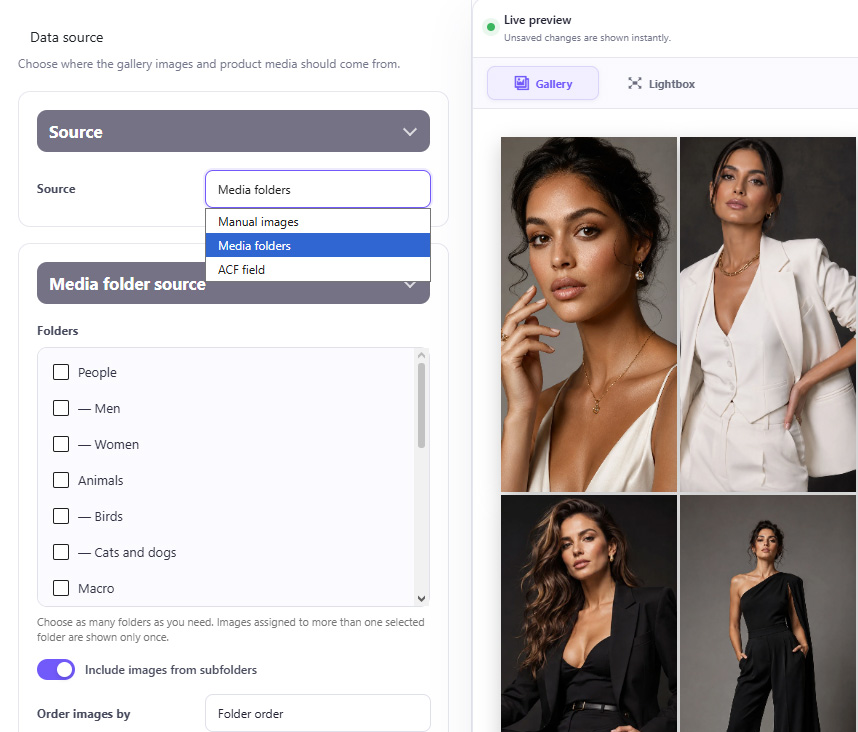
01 Manual Images
02 Media Folders
03 ACF Fields
OGALLERY dynamic gallery sources with Manual Images, Media Folders and ACF Fields

Media Folder galleries can use:

01 One folder
02 Multiple folders
03 Images from subfolders
04 Custom ordering

When the content of a connected folder changes, the gallery updates automatically.
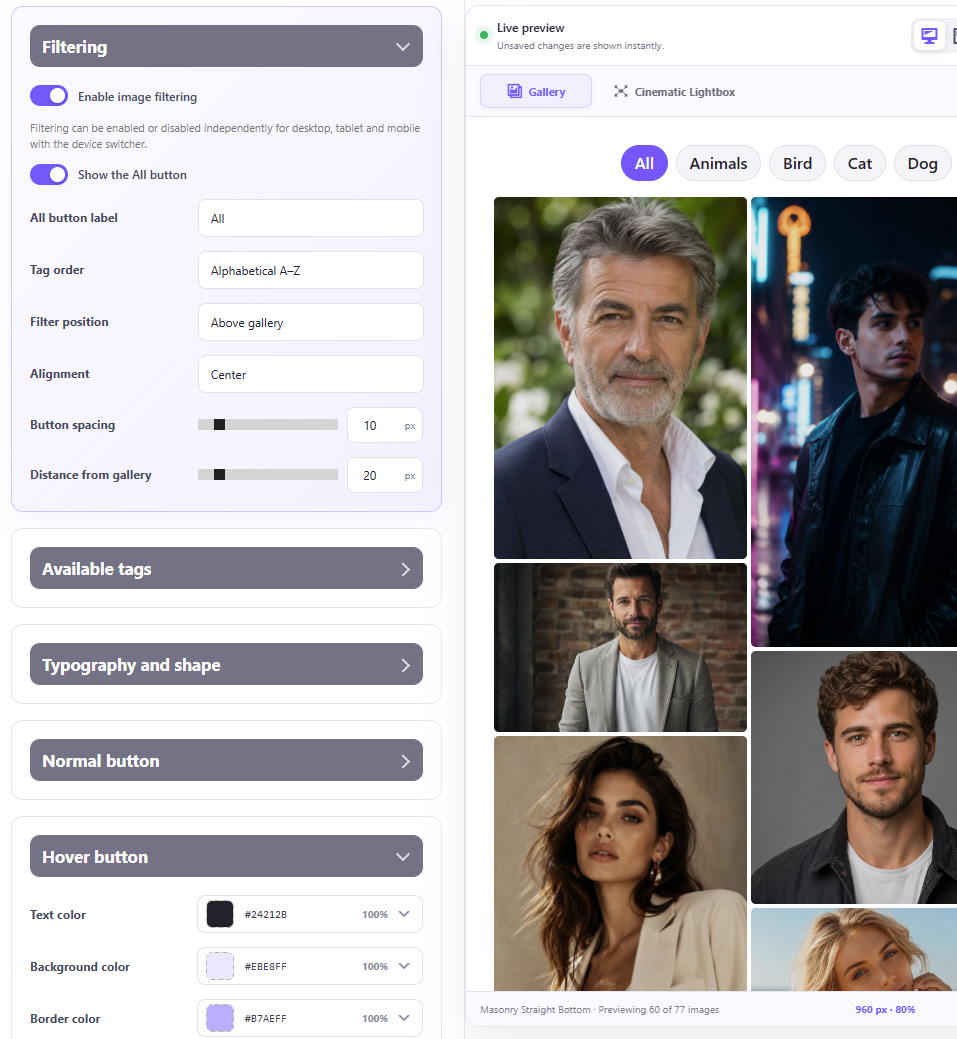
IMAGE FILTERING WITH TAGS

Let visitors instantly filter gallery content.

Create image tags directly inside OGALLERY and turn them into frontend filter buttons.

OGALLERY image filtering with tags settings and gallery preview

Control:

01 Which tags are visible
02 Custom “All” label
03 Alphabetical ordering
04 Filter position
05 Alignment
06 Button spacing
07 Distance from gallery
08 Typography
09 Borders
10 Radius
11 Colors
12 Normal state
13 Hover state
14 Active state
15 Shadows
16 Filter animations
17 Animation duration
18 Stagger effects

Filtering can be enabled independently for desktop, tablet and mobile.

PROGRESSIVE LOADING

Progressive Loading intelligently loads images in stages instead of all at once. OGALLERY prioritizes what’s visible and preloads upcoming images just before they enter the viewport, keeping galleries fast, smooth and responsive — even with large image collections.
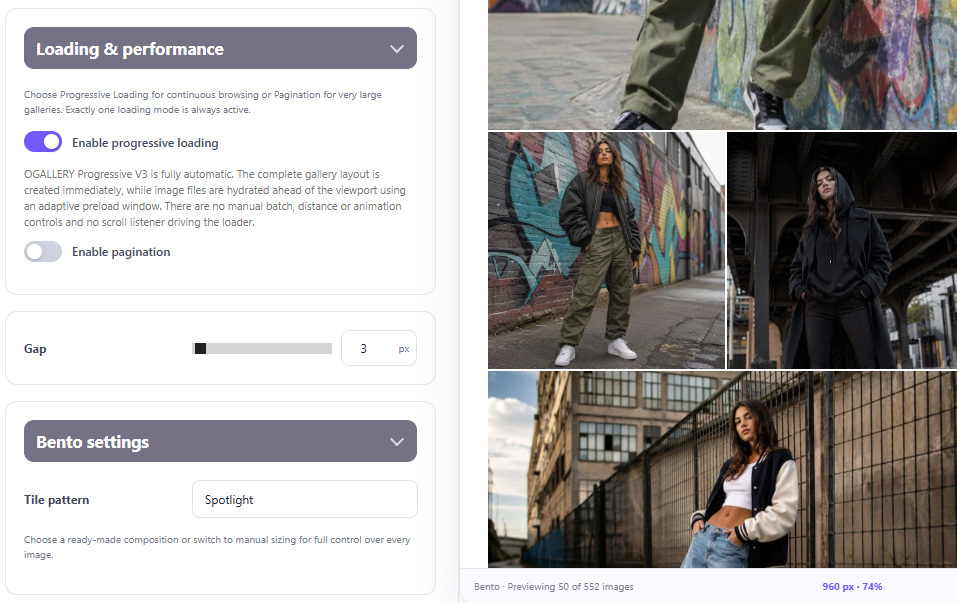
OGALLERY Progressive Loading

ADVANCED PAGINATION

For extremely large galleries, use fully customizable pagination instead.
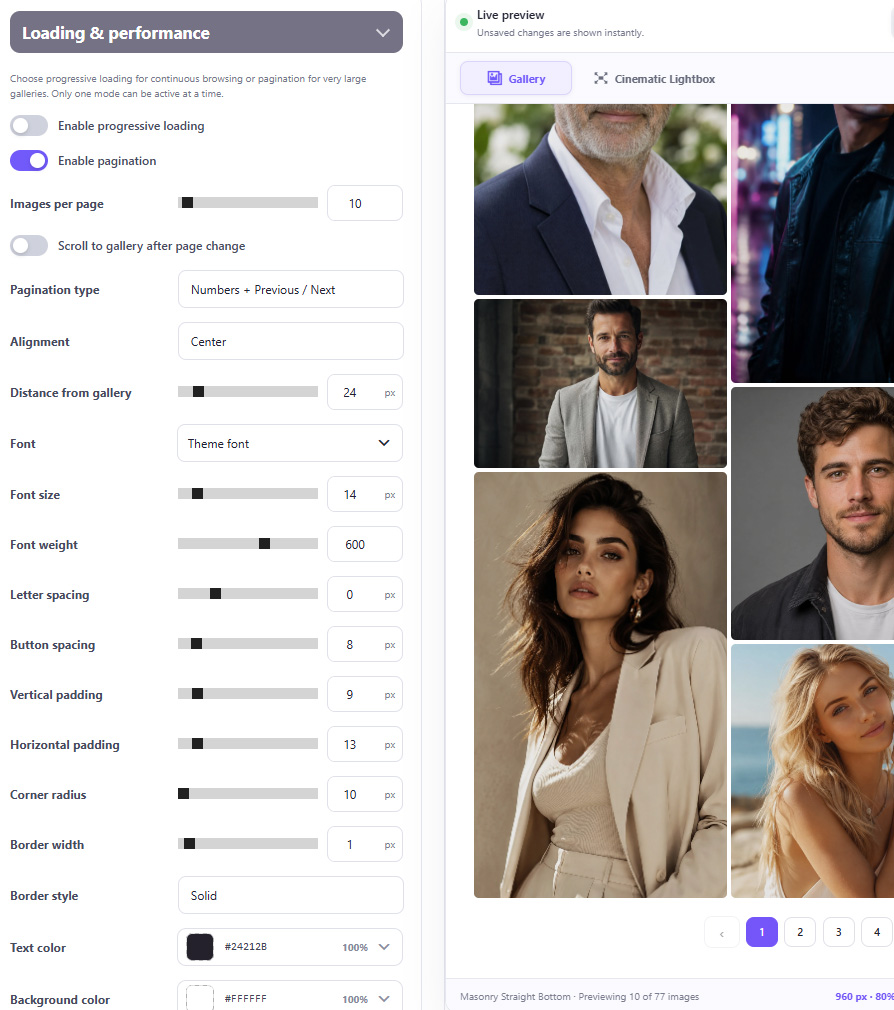
OGALLERY Advanced Pagination settings and gallery preview

Choose:

01 Numbers + Previous / Next
02 Numbers only
03 Previous / Next only

Customize:

01 Images per page
02 Alignment
03 Spacing
04 Typography
05 Padding
06 Radius
07 Borders
08 Normal colors
09 Hover colors
10 Active colors
11 Automatic scroll back to gallery

Pagination settings can also be different for desktop, tablet and mobile.

CLASSIC LIGHTBOX

Turn gallery images into an immersive screen experience.
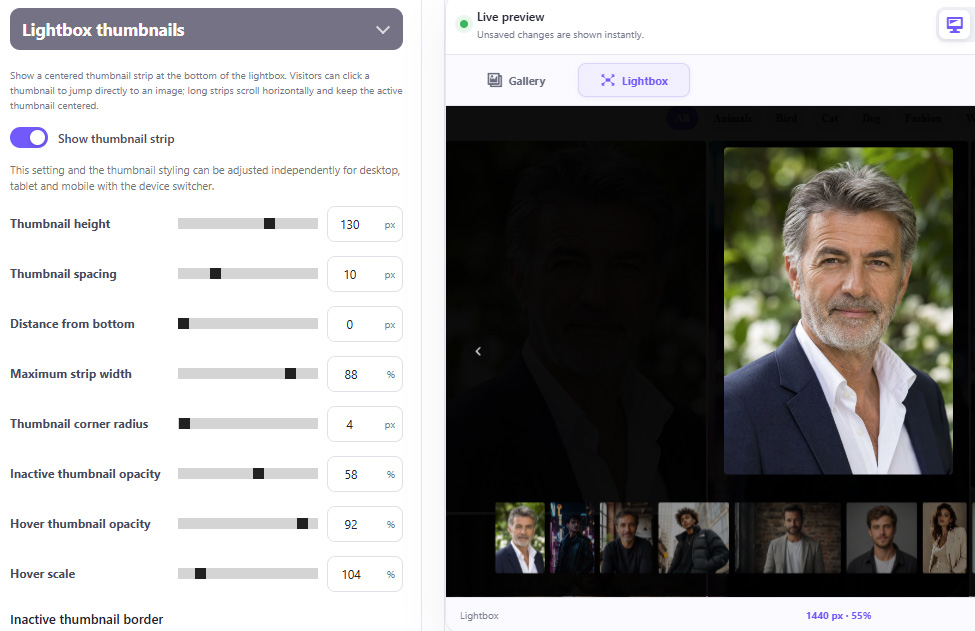
OGALLERY Classic Lightbox thumbnail strip settings and preview
OGALLERY Classic Lightbox navigation controls and preview

Control almost every visual element:

01 Opening animation
02 Image transitions
03 Transition duration
04 Previous / Next navigation
05 Looping
06 Image size
07 Image radius
08 Borders
09 Shadows
10 Background color
11 Background opacity
12 Titles
13 Descriptions
14 Thumbnail strip
15 Navigation buttons
16 Close button
01

Position titles and descriptions:

Above the image
Below the image
Directly on the image
In multiple overlay positions
02

Text backgrounds can use:

No background
Solid color
Gradient
03

Content width can follow:

The viewport
The displayed photograph

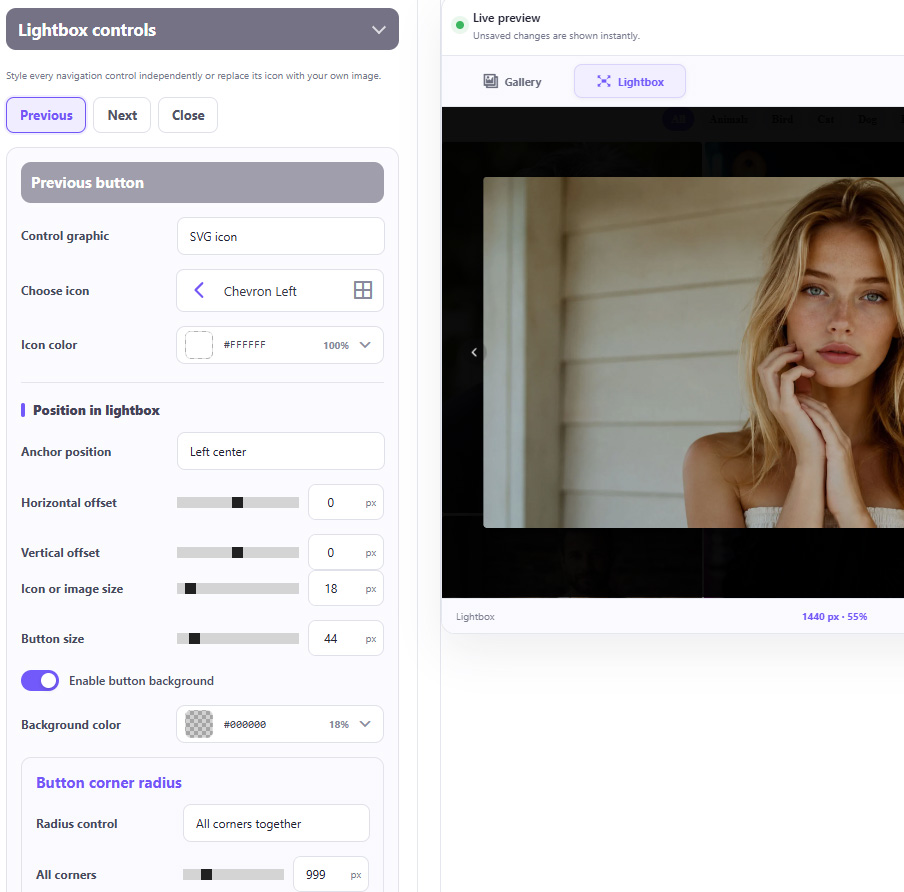
FULLY CUSTOMIZABLE LIGHTBOX CONTROLS

Previous, Next and Close controls can each be designed independently.
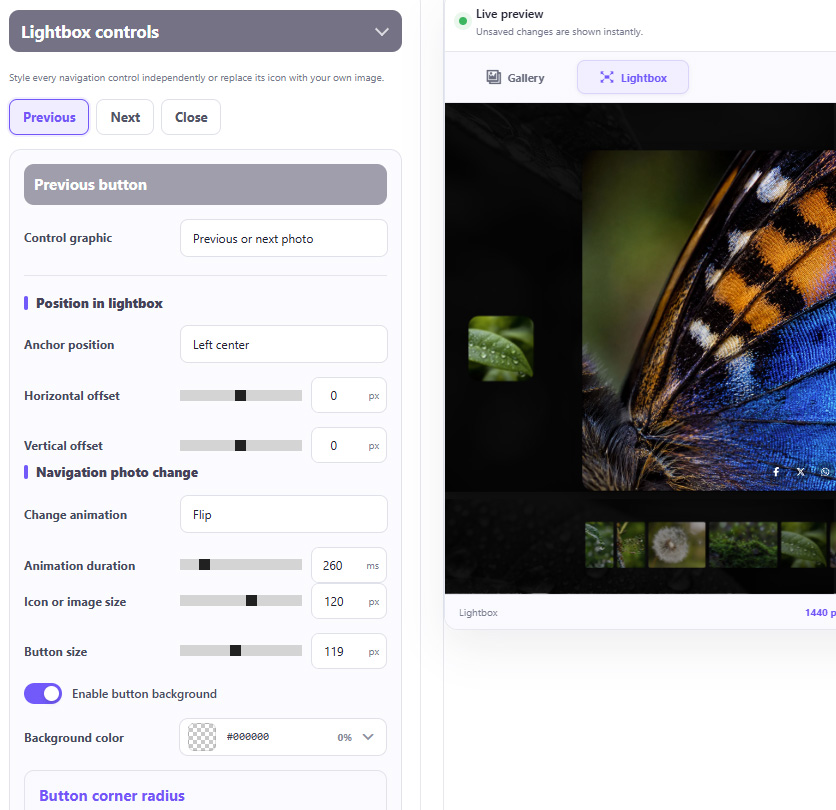
OGALLERY customizable Lightbox controls settings
OGALLERY customized Lightbox presentation

Customize:

01 SVG icon
02 Custom image
03 Icon size
04 Button size
05 Color
06 Opacity
07 Background
08 Padding
09 Border
10 Radius
11 Position
12 Offset
13 Hover animation
14 Hover strength
15 Hover duration
16 Photo-change transition

Your Lightbox controls do not have to look like everyone else's.

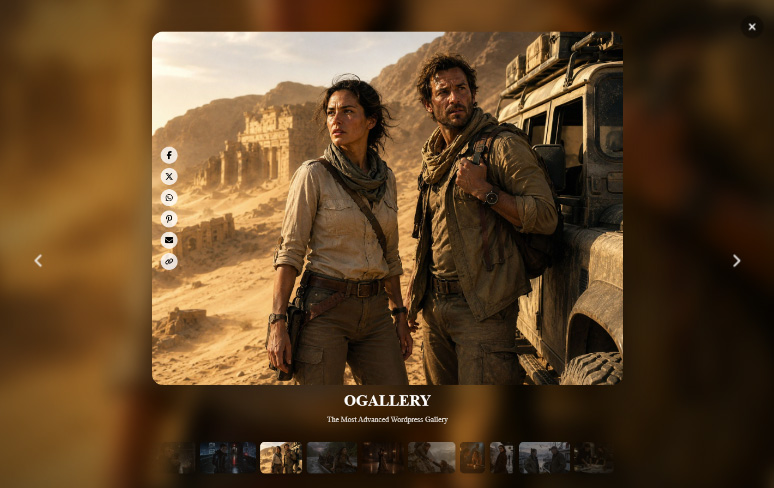
CINEMATIC LIGHTBOX

Create a much more immersive viewing experience with a dedicated cinematic presentation system.

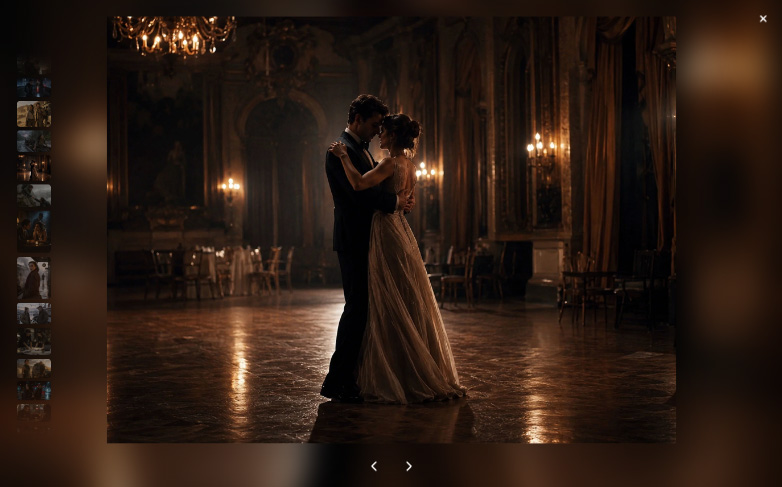
OGALLERY Cinematic Lightbox immersive presentation

Features include:

01 Custom animated backdrop
02 Backdrop blur
03 Brightness control
04 Saturation control
05 Atmospheric animation
06 Ambient glow
07 Glow intensity and blur
08 Cinematic motion
09 Entrance animations
10 Image transitions
11 Adjustable transition duration
12 Automatic UI hiding
13 Image counter
14 Custom image radius
15 Borders
16 Shadows
17 Fully configurable navigation

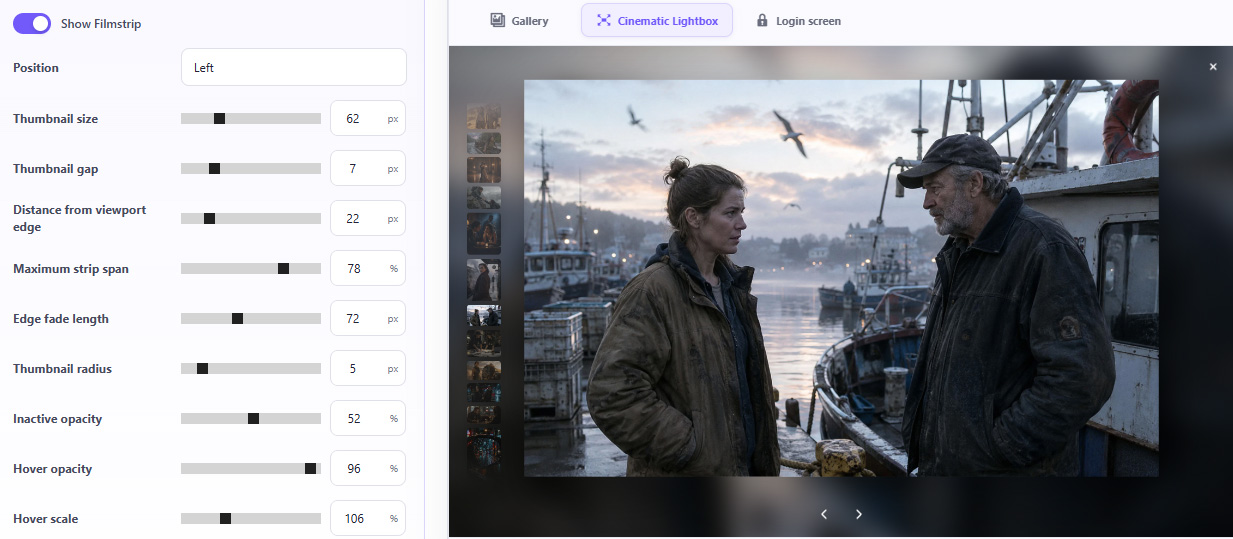
CINEMATIC FILMSTRIP

Add a cinematic thumbnail filmstrip to the main photograph.

Position it:
01 Bottom
02 Left
03 Right
OGALLERY Cinematic Filmstrip settings
OGALLERY Cinematic Lightbox with vertical filmstrip

Customize:

01 Thumbnail size
02 Thumbnail spacing
03 Filmstrip offset
04 Maximum strip width
05 Radius
06 Inactive opacity
07 Hover opacity
08 Hover scale
09 Active thumbnail border
10 Filmstrip background
11 Filmstrip styling
12 Perforation styling
13 Edge fade

Clicking a filmstrip thumbnail navigates directly to that photograph.

DREAM LIGHTBOX

Create a soft viewing experience with images that gently float through an atmospheric, dream-like space.
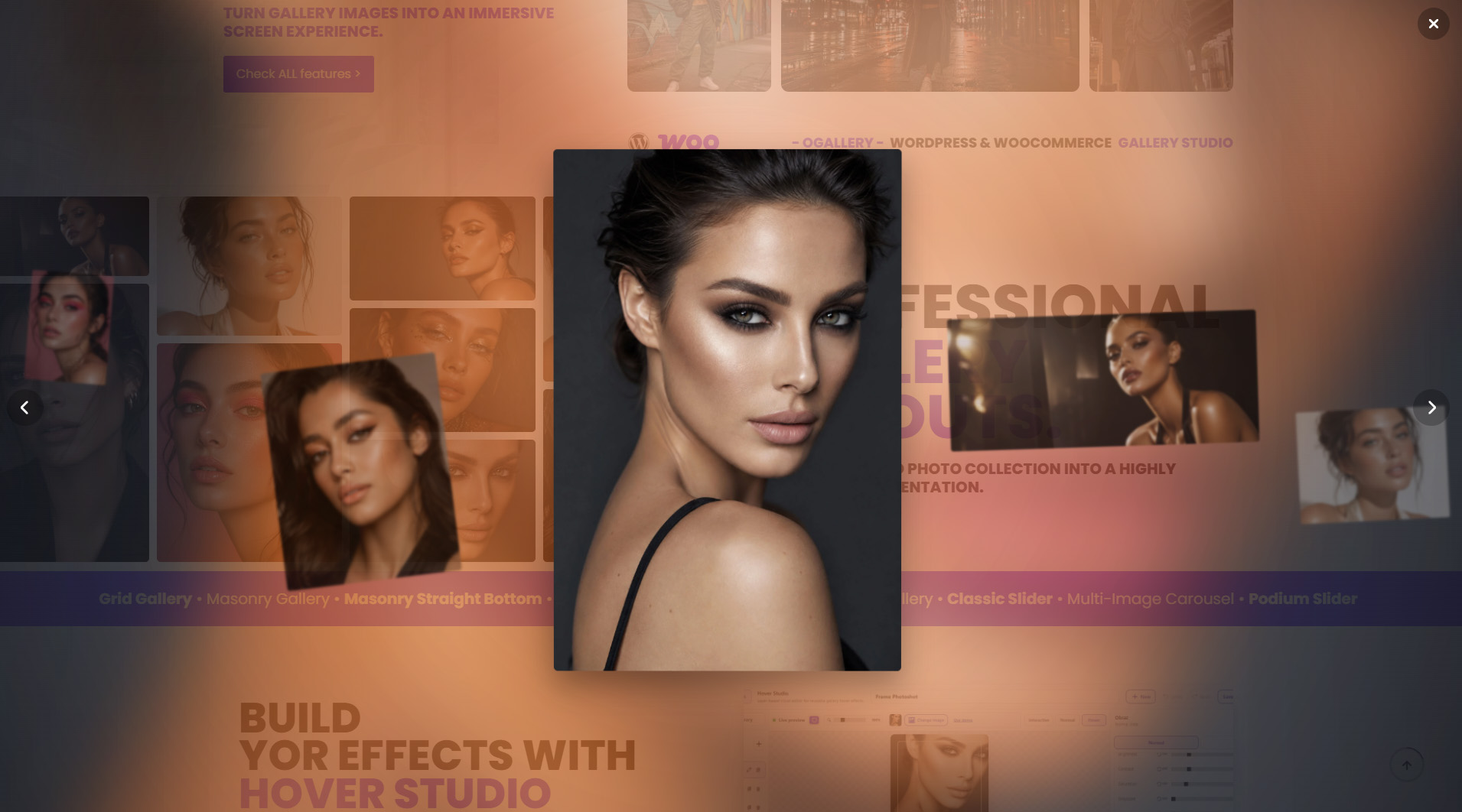
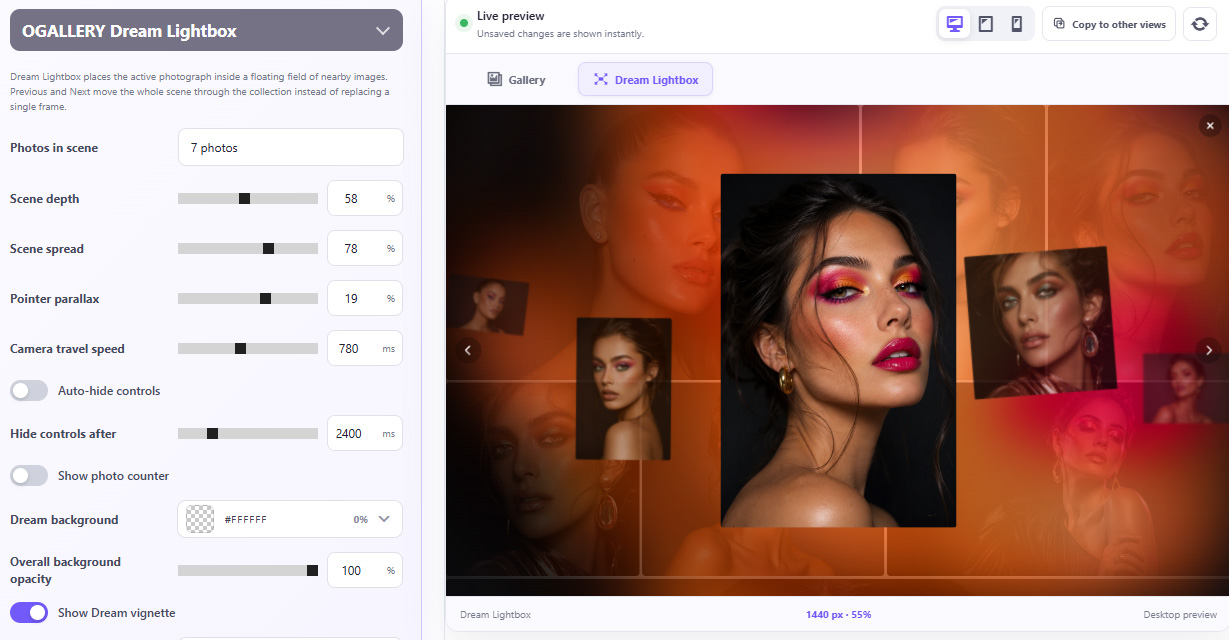
OGALLERY Dream Lightbox
OGALLERY Dream Lightbox settings and live preview

Features include:

01 Floating image motion
02 Adjustable paralax effect intensity
03 Backdrop blur
04 Background brightness, saturation and opacity
05 Vignette color
06 Image shadow
07 Custom image radius
08 Adjustable transition duration
09 Fully configurable navigation
10 Separate top-down layout for mobile device

VERTICAL LIGHTBOX SCROLL MODE

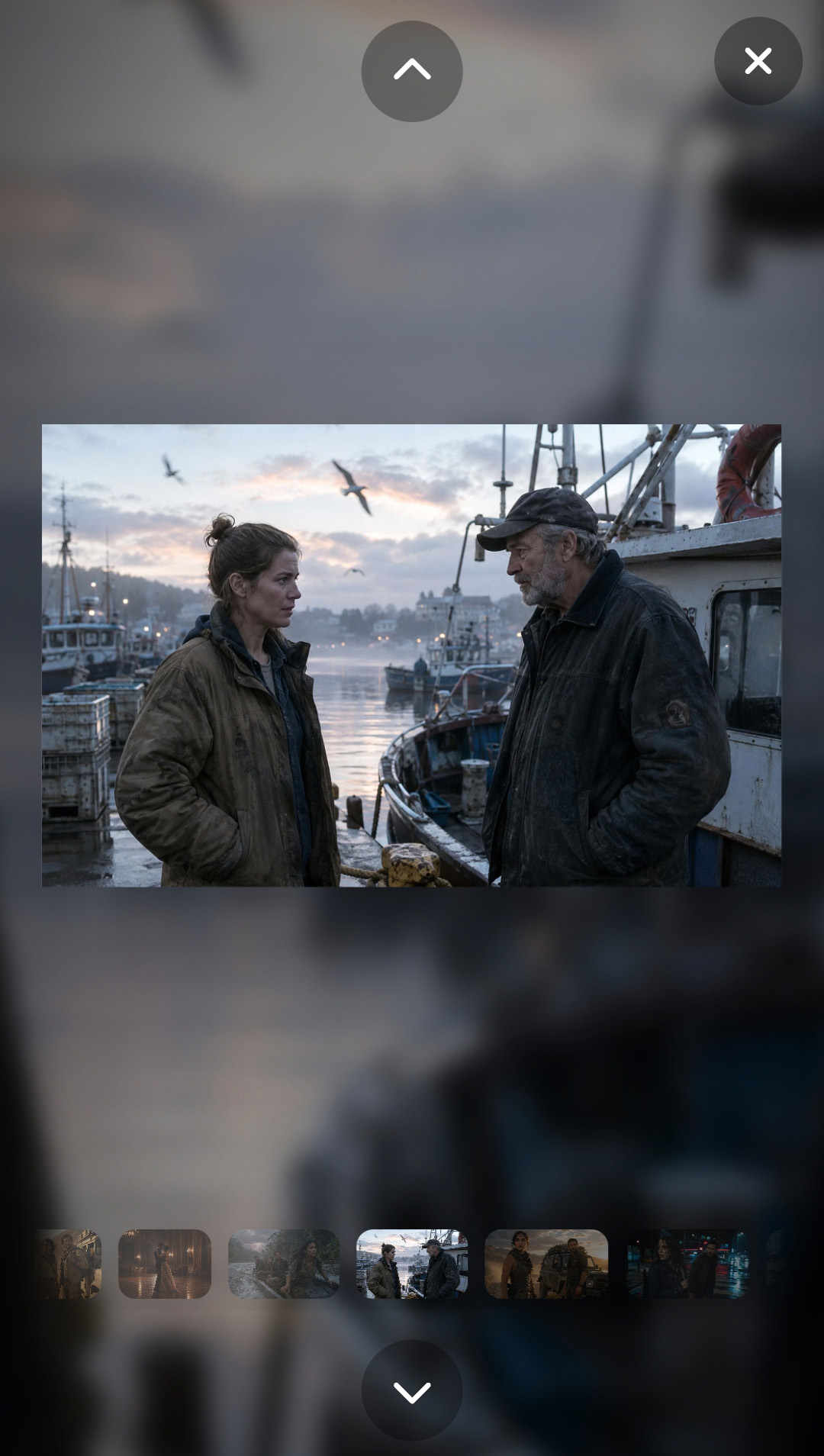
No more awkward horizontal swiping. No more forcing your fingers into unnatural gestures.

Enable natural up-and-down navigation across all OGALLERY lightbox styles, including Classic, Cinematic and Dream Lightbox. Keep the same look, styling, features and customization options — and simply switch image navigation from horizontal to vertical swiping. Browse photos with the same natural finger movement you already use to scroll through your phone every day.
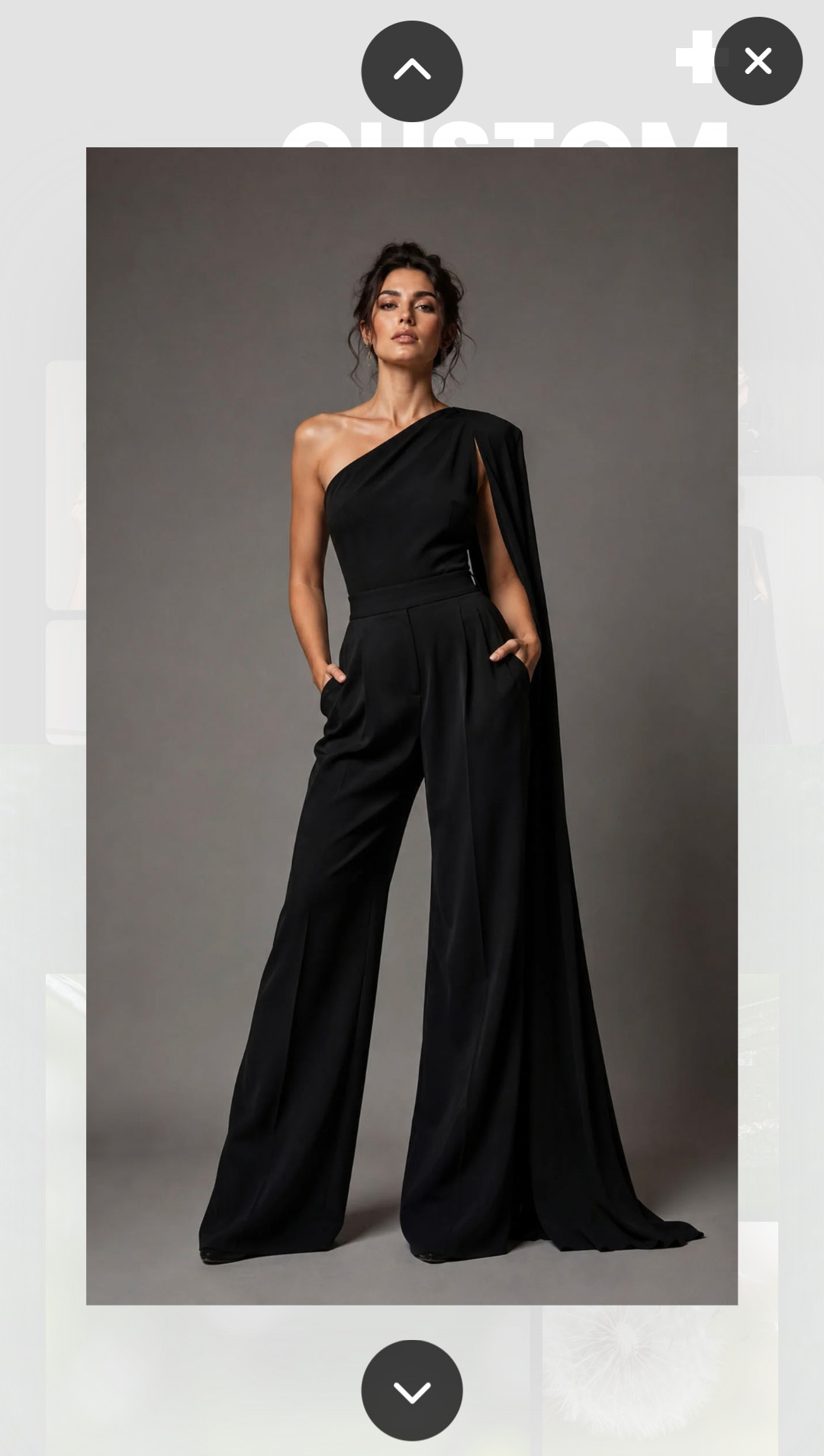
01 Classic Lightbox
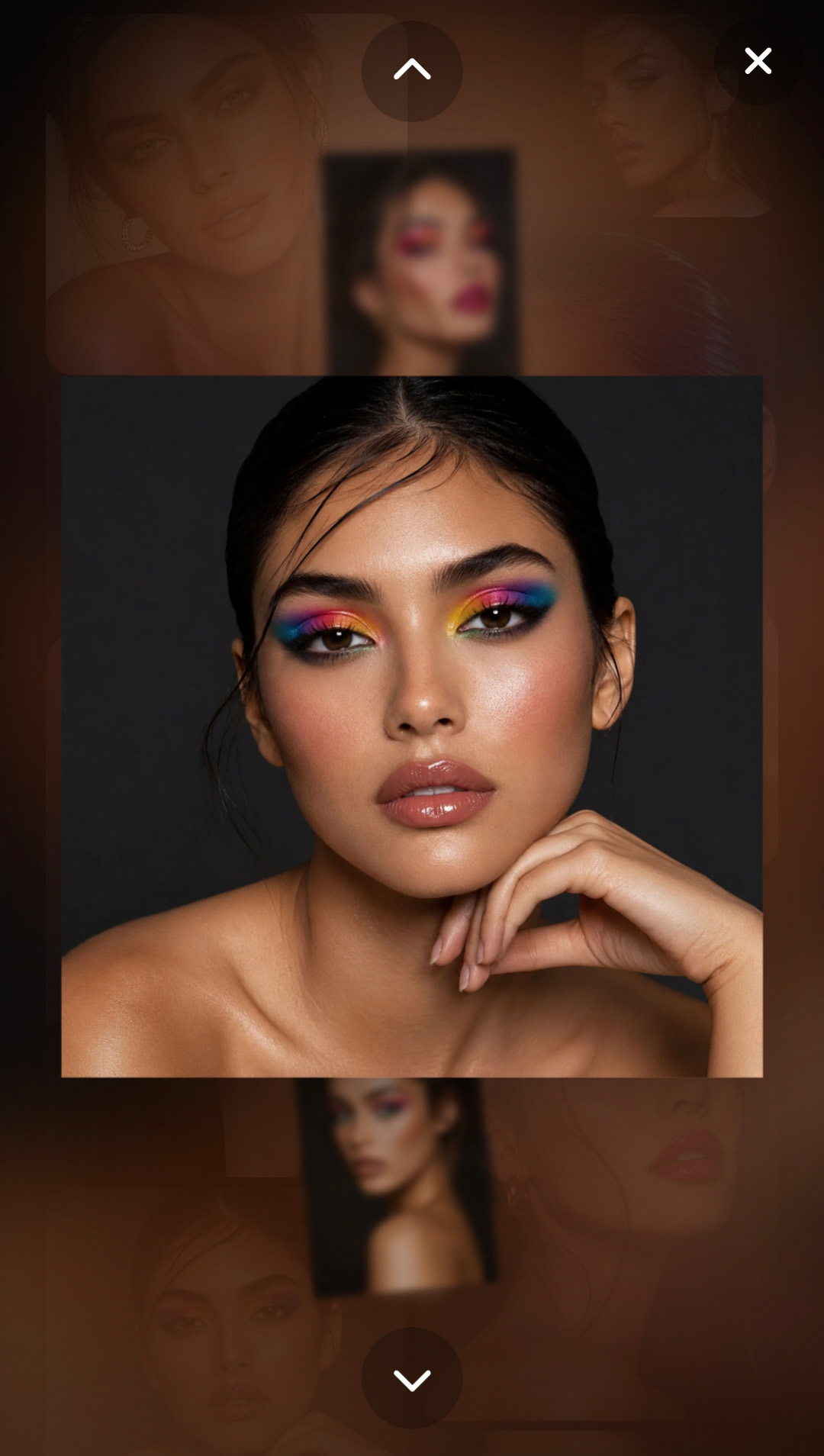
OGALLERY Classic Lightbox with vertical up and down navigation
02 Cinematic Lightbox
OGALLERY Cinematic Lightbox with vertical up and down navigation
03 Dream Lightbox
OGALLERY Dream Lightbox with vertical up and down navigation

Classic · Cinematic · Dream

SOCIAL SHARING INSIDE THE LIGHTBOX

Let visitors share individual photographs directly from the viewing experience.

Supported options include:

01 f Facebook
02 𝕏 X
03 W WhatsApp
04 P Pinterest
05 @ Email
06 ↗ Copy Link
OGALLERY Social Sharing platform settings and Cinematic Lightbox preview
OGALLERY Social Sharing layout and positioning settings
OGALLERY Social Sharing copy link confirmation settings

Choose whether sharing points to:

01 The gallery page
02 The exact individual photograph
03 Optionally include the image title and description in shared content.

Social Sharing can be positioned:

01 On the photograph (only in cinematic & classic lightbox)
02 Outside the photograph
03 Around the caption area (only in cinematic & classic lightbox)

Control every detail of the sharing interface:

01 Layout (only in cinematic & classic lightbox)
02 Direction (only in cinematic & classic lightbox)
03 Alignment (only above and below main photo in dream lightbox)
04 Icon size
05 Icon colors
06 Hover colors
07 Backgrounds
08 Borders
09 Radius
10 Shadows
11 Hover shadows
12 Labels
13 Typography
14 Spacing
15 Copy-link confirmation message

And style it independently for desktop, tablet and mobile.

STANDALONE GALLERY PAGES

A gallery does not even need a normal WordPress page.

Create a dedicated shareable gallery URL directly from OGALLERY.
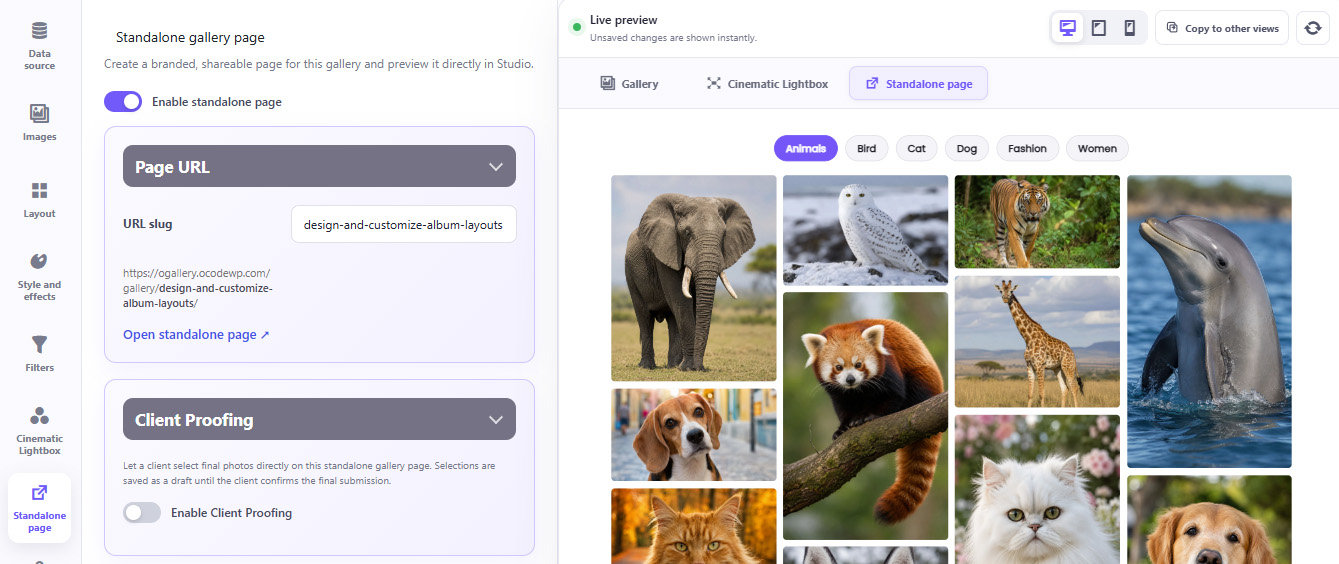
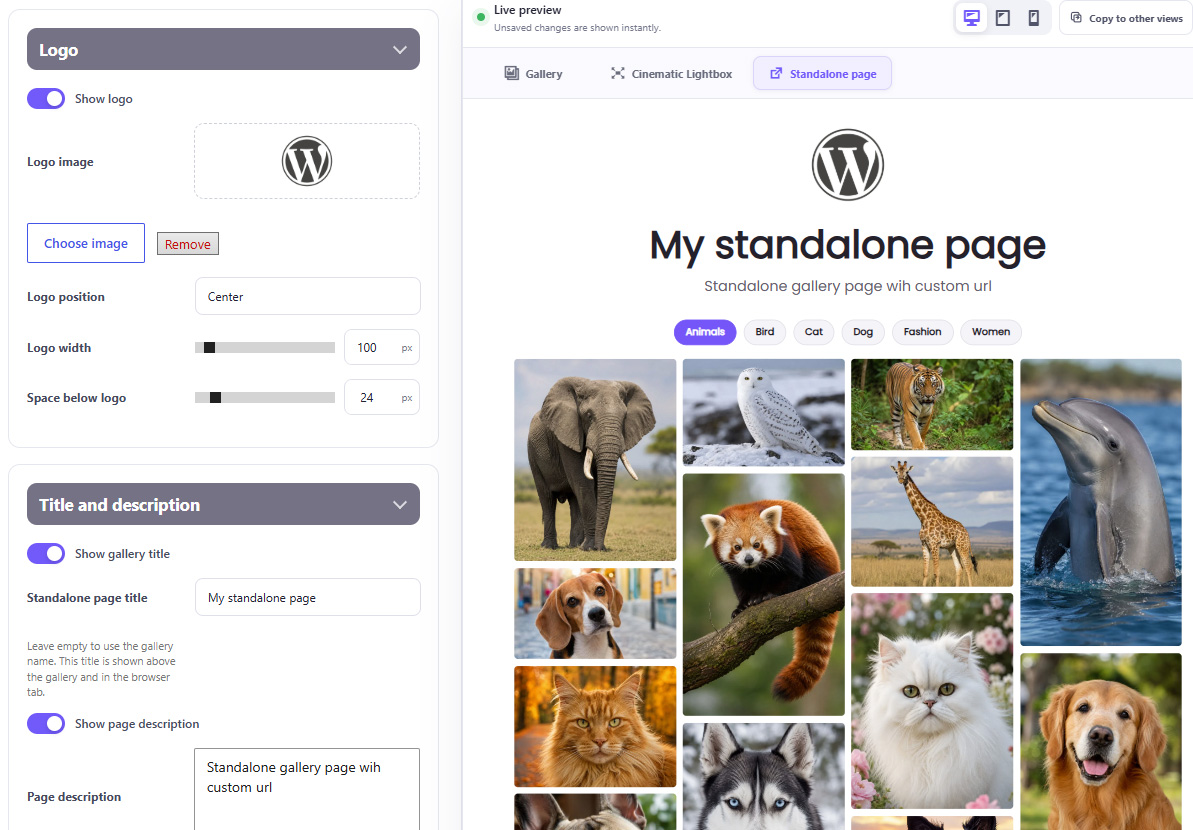
OGALLERY Standalone Gallery Page URL and live preview
OGALLERY Standalone Gallery Page branding, logo, title and description

Customize:

01 Gallery URL slug
02 Page background
03 Content width
04 Page spacing
05 Logo
06 Logo size and alignment
07 Gallery title
08 Gallery description
09 Typography
10 Header alignment

Perfect for:

01 Photography delivery
02 Portfolio presentations
03 Client galleries
04 Event galleries
05 Private collections
06 Campaign-specific galleries

SECURE PRIVATE GALLERIES

Protect galleries that should not be publicly accessible.
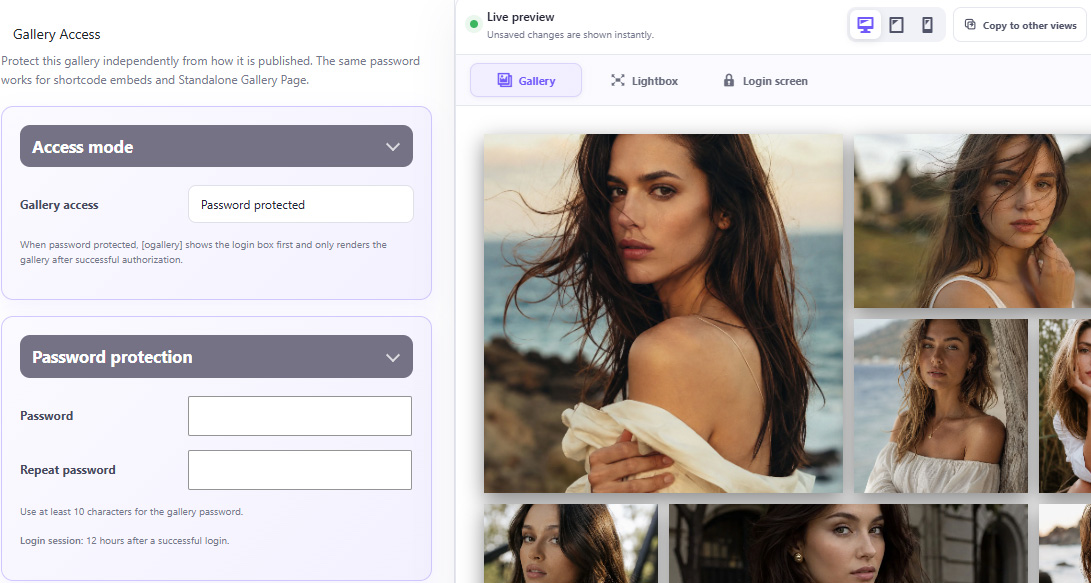
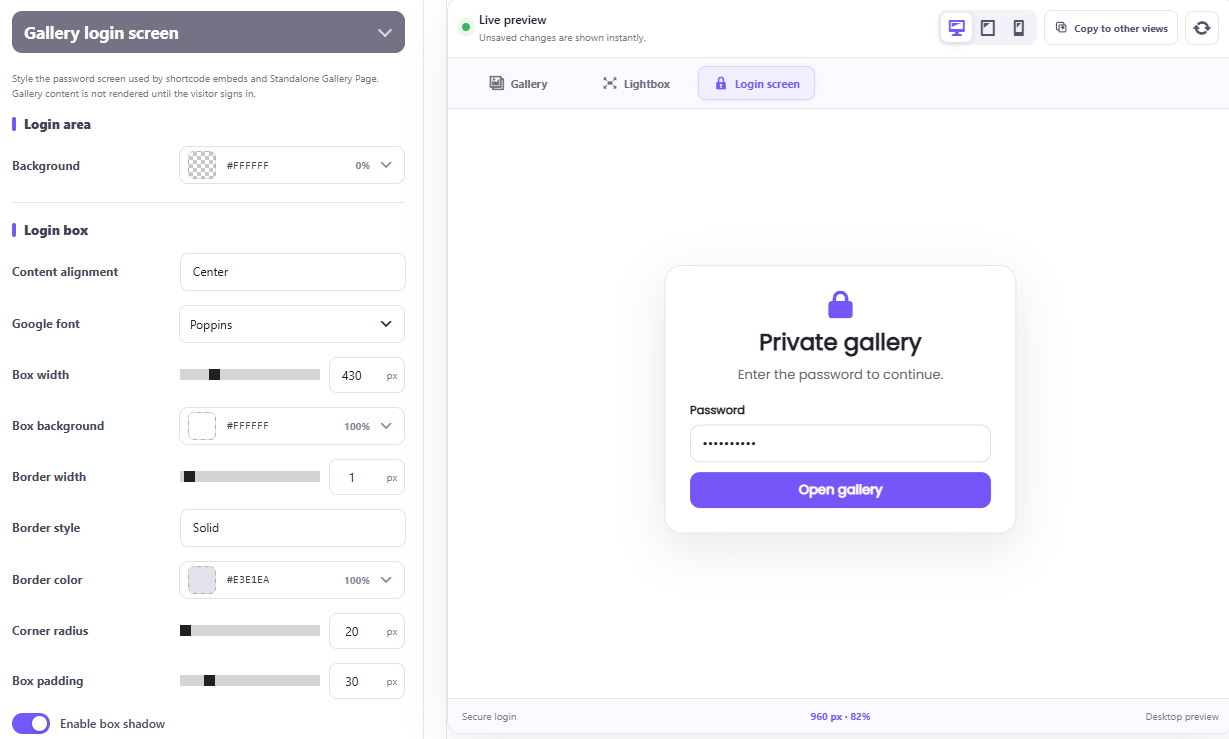
OGALLERY secure private gallery access and password protection settings

Features include:

01 Password-protected gallery access
02 Protected standalone gallery pages
03 Custom login screen
04 Custom login title
05 Custom description
06 Custom password label
07 Custom button text
08 SVG login icon
09 Custom image or logo
10 Login box styling
11 Input styling
12 Error-message styling
13 Custom Log Out button
14 Secure authorization sessions
15 Protection against repeated password attempts

The protected experience can still be completely branded to match the website.

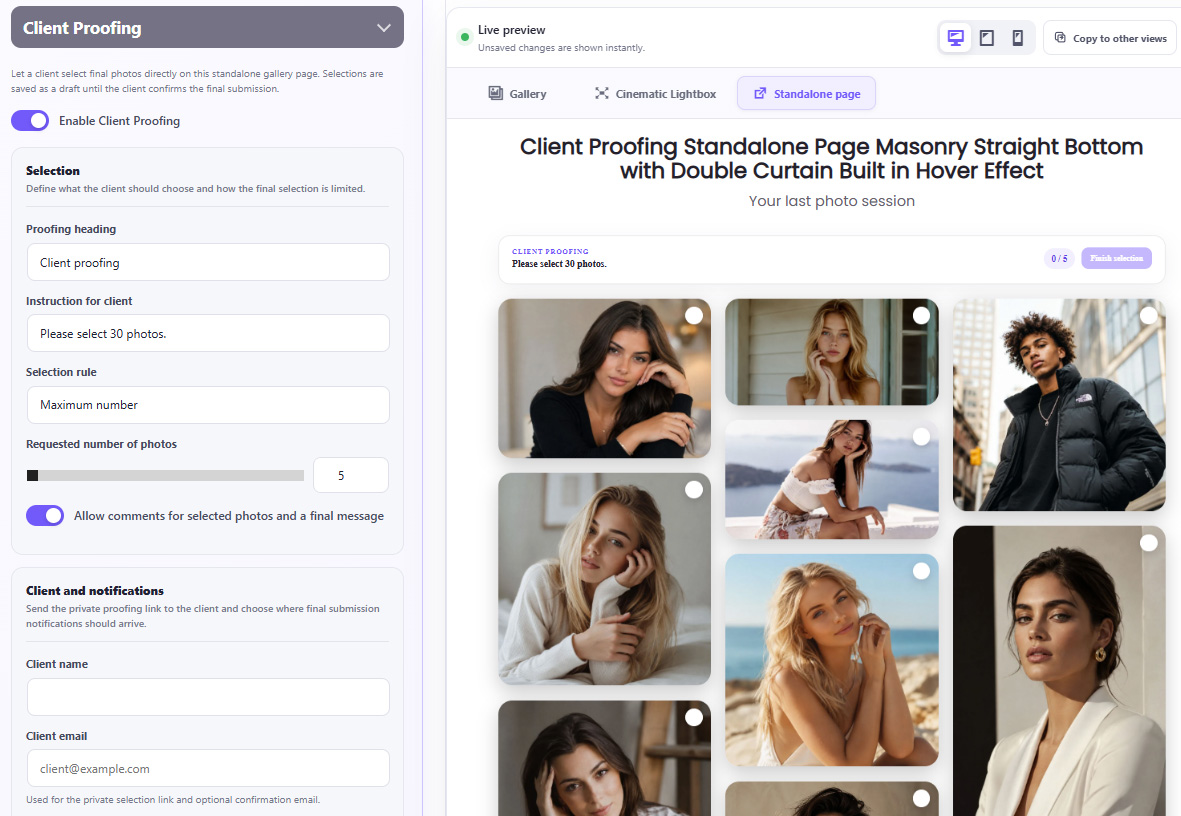
CLIENT PROOFING

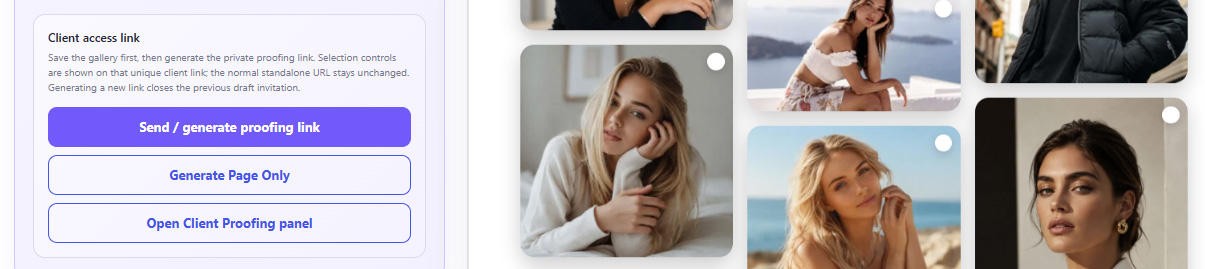
Send a private gallery to a client and let them choose their final photographs directly online.
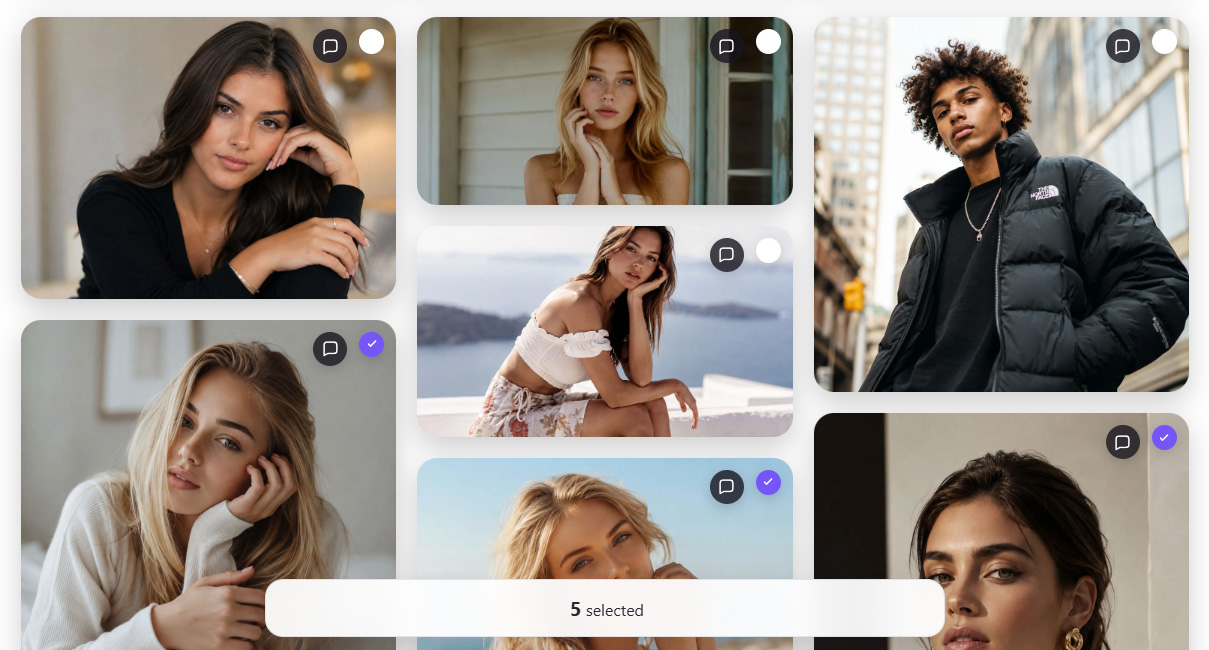
OGALLERY Client Proofing configuration and live gallery preview
OGALLERY Client Proofing photo selection interface

Choose a selection rule:

01 Exact number
02 Minimum number
03 Maximum number
04 Free selection

Clients can:

01 Select photographs
02 Deselect photographs
03 See the current selection count
04 Show selected photographs only
05 Add comments to individual photographs
06 Add a general comment
07 Save selection progress
08 Submit the final selection

Once submitted, the selection can be locked to prevent accidental changes.

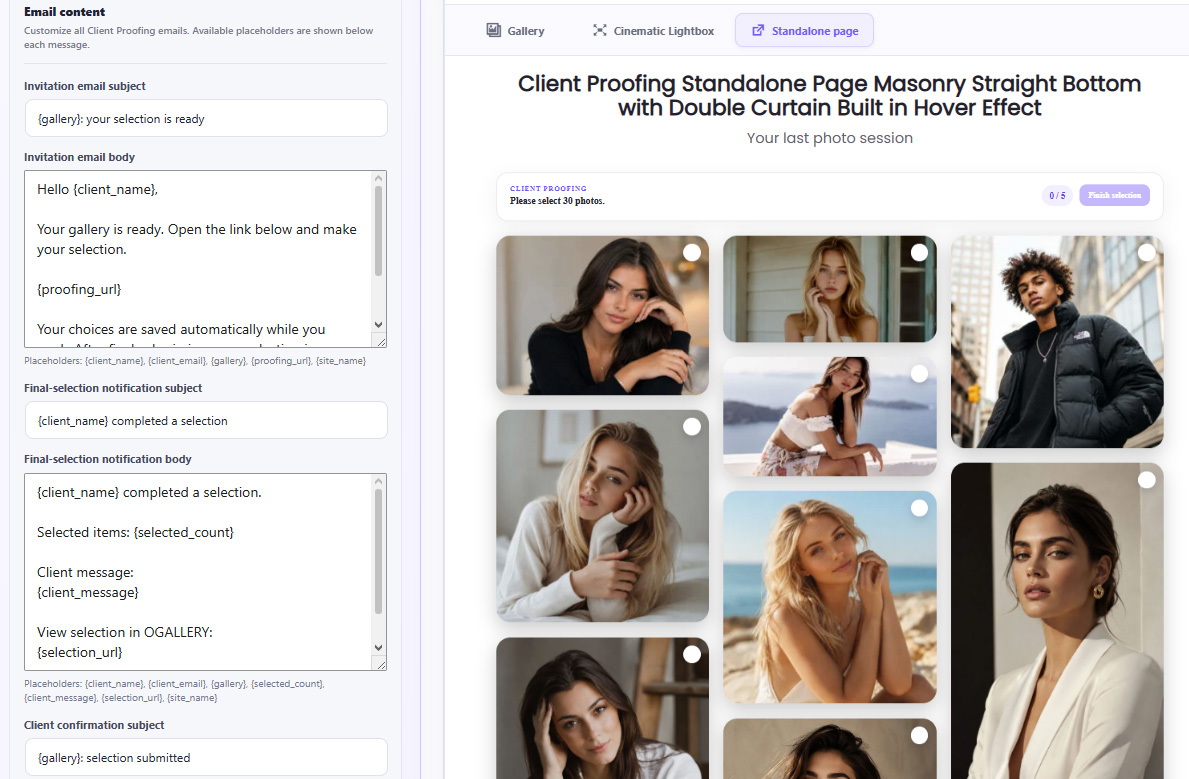
PROOFING EMAIL & NOTIFICATION SYSTEM

Create a complete client workflow.

01 Generate private client links
02 Send invitations
03 Customize invitation messages
04 Customize email subjects and content
05 Notify the photographer when a selection is submitted
06 Send confirmation to the client
07 Use standard WordPress mail
08 Connect directly to an SMTP server
09 Test email delivery

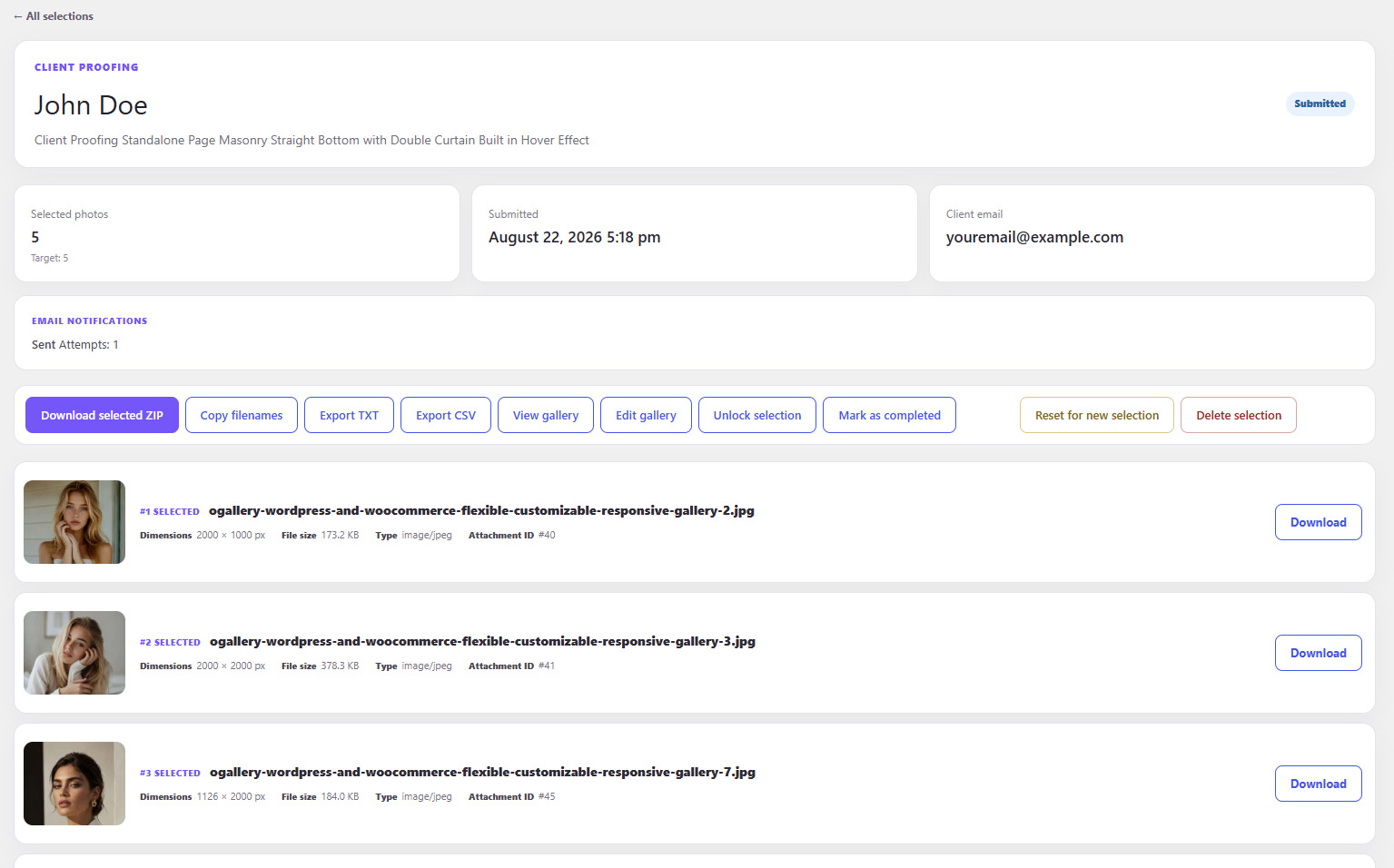
PROOFING MANAGEMENT DASHBOARD

Manage all client selections from WordPress.
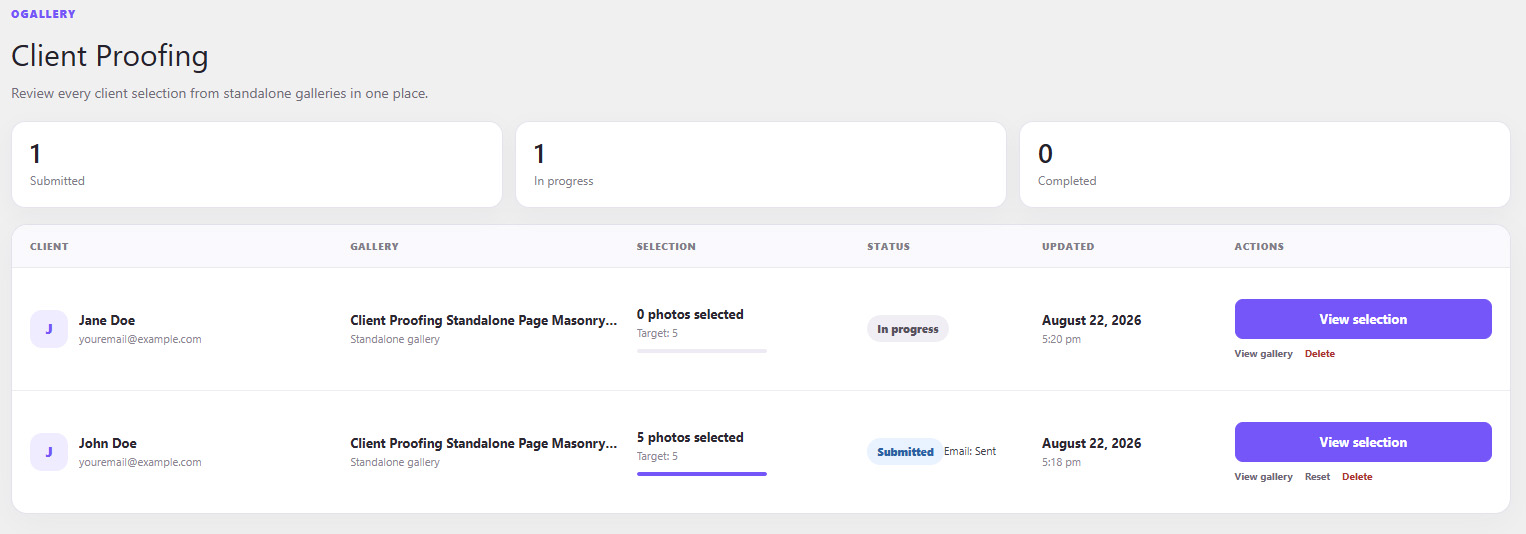
OGALLERY Client Proofing management dashboard
OGALLERY Client Proofing completed selection management

See:

01 Client
02 Gallery
03 Number of selected photographs
04 Selection status
05 Submission date
06 Comments

For completed selections you can:

01 Download individual selected images
02 Download the complete selection as ZIP
03 Copy selected filenames
04 Export selection as TXT
05 Export selection as CSV
06 Unlock a selection
07 Reset it for another selection
08 Mark it as completed
09 Delete it

This makes OGALLERY suitable not only for displaying photography, but for running a real client-delivery workflow.

MEDIA FOLDERS

Organize the WordPress Media Library in a completely new way.
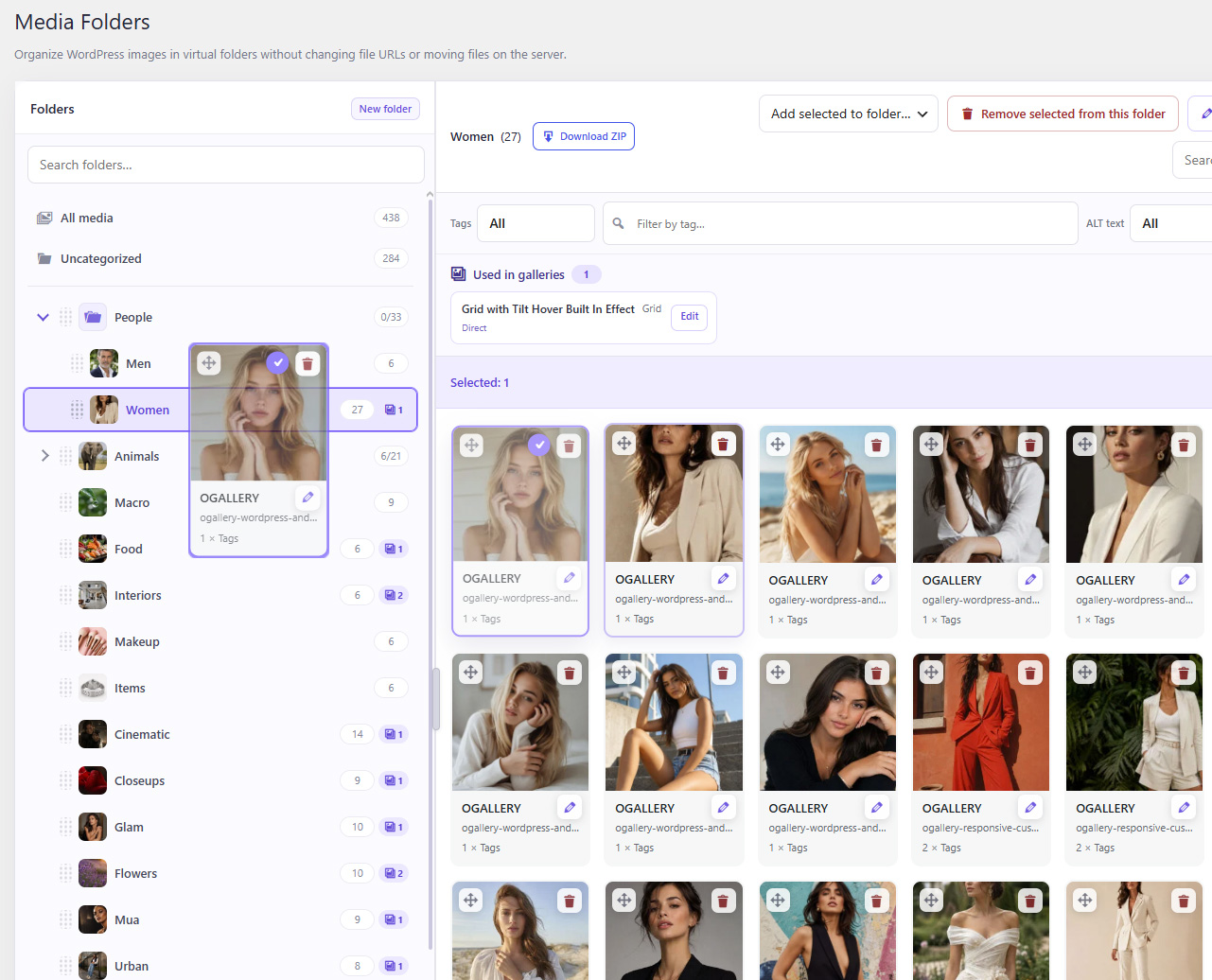
OGALLERY Media Folders for organizing the WordPress Media Library

Create:

01 Folders
02 Unlimited nested subfolders
03 Structured image collections
01

Images can belong to multiple folders without creating duplicate files.

02

The original WordPress file URLs remain unchanged.

DRAG & DROP MEDIA ORGANIZATION

Manage media visually.

OGALLERY drag and drop Media Folder organization
01 Drag images into folders
02 Move multiple images
03 Remove images from a folder
04 Reorder images manually
05 Reorder folders
06 Move folders inside other folders
07 Create subfolders
08 Rename folders
09 Delete folders without deleting the original images
10 Undo recent folder and ordering actions

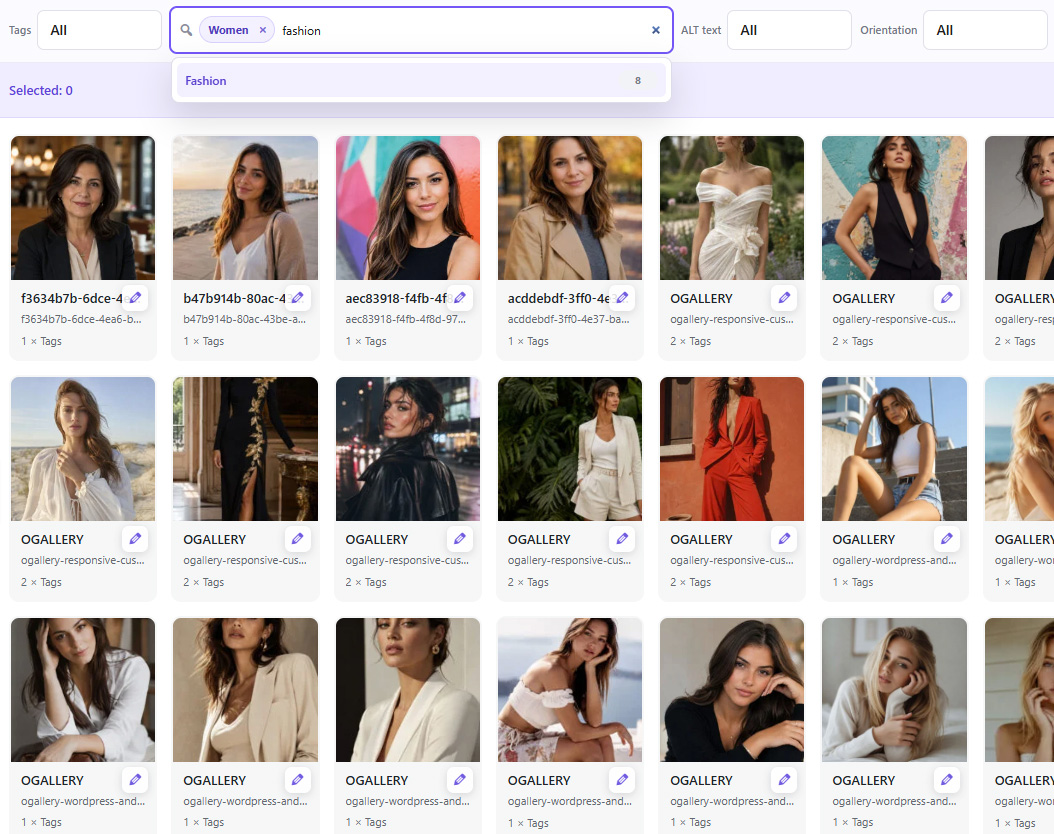
MEDIA TAGS

Create your own image taxonomy directly inside OGALLERY.

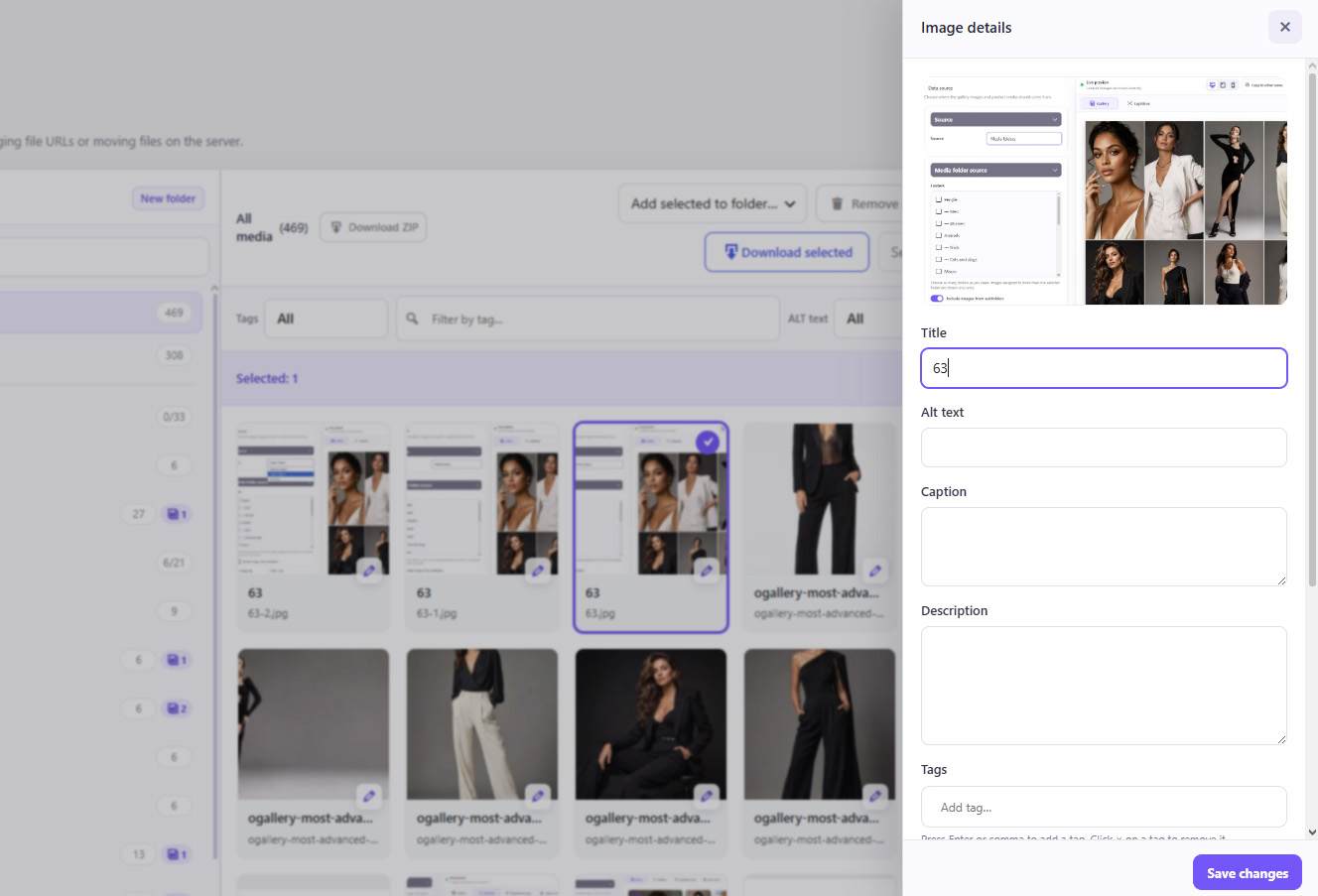
OGALLERY Media Tags inside individual image details
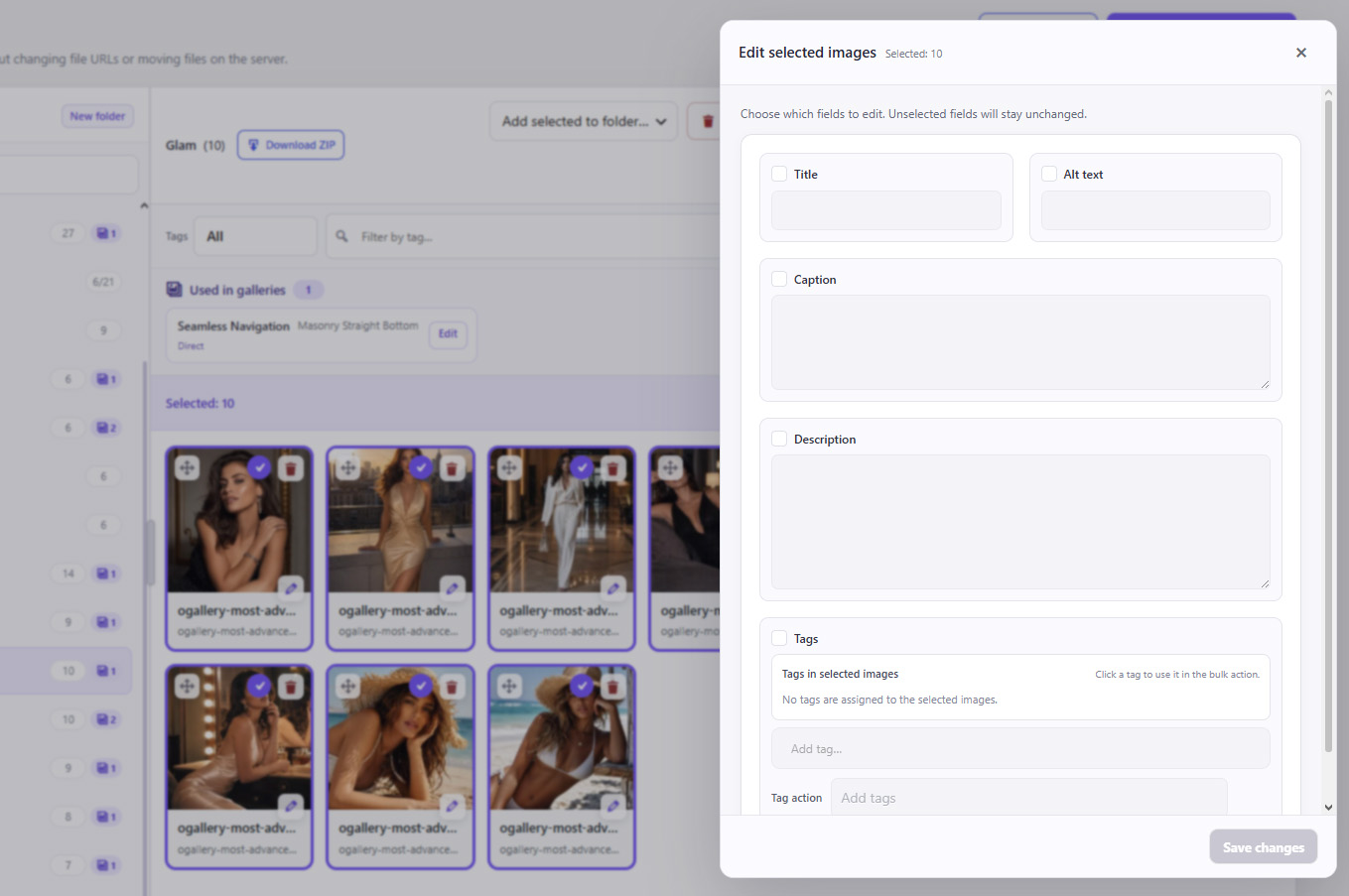
OGALLERY bulk Media Tags editing
01 Add tags
02 Remove tags
03 Reuse existing tags
04 Apply tags to multiple images
05 Add tags in bulk
06 Replace tags in bulk
07 Remove tags in bulk

The same tags can then power frontend gallery filtering.

BULK MEDIA EDITING

Edit many Media Library images at once.

OGALLERY bulk editing of selected Media Library images
OGALLERY individual image details editing inside Media Folders

Bulk-edit:

01 Title
02 ALT text
03 Caption
04 Description
05 Tags

Individual image details can also be edited directly inside Media Folders.

MEDIA USAGE TRACKING

See where your media is being used.

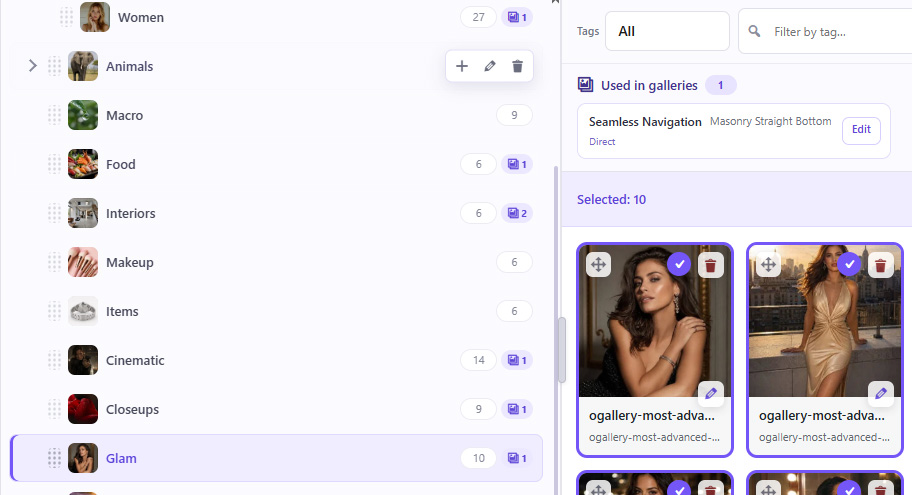
OGALLERY Media Usage Tracking showing a Media Folder used directly in a gallery

OGALLERY can show whether a Media Folder is connected to galleries and distinguish direct and indirect usage.

01
Direct usage

See when a Media Folder is connected directly to a gallery.

02
Indirect usage

Track media that is being used through connected folder structures.

This makes managing large photo libraries much safer.

ZIP IMPORT

Import complete image collections in one operation.
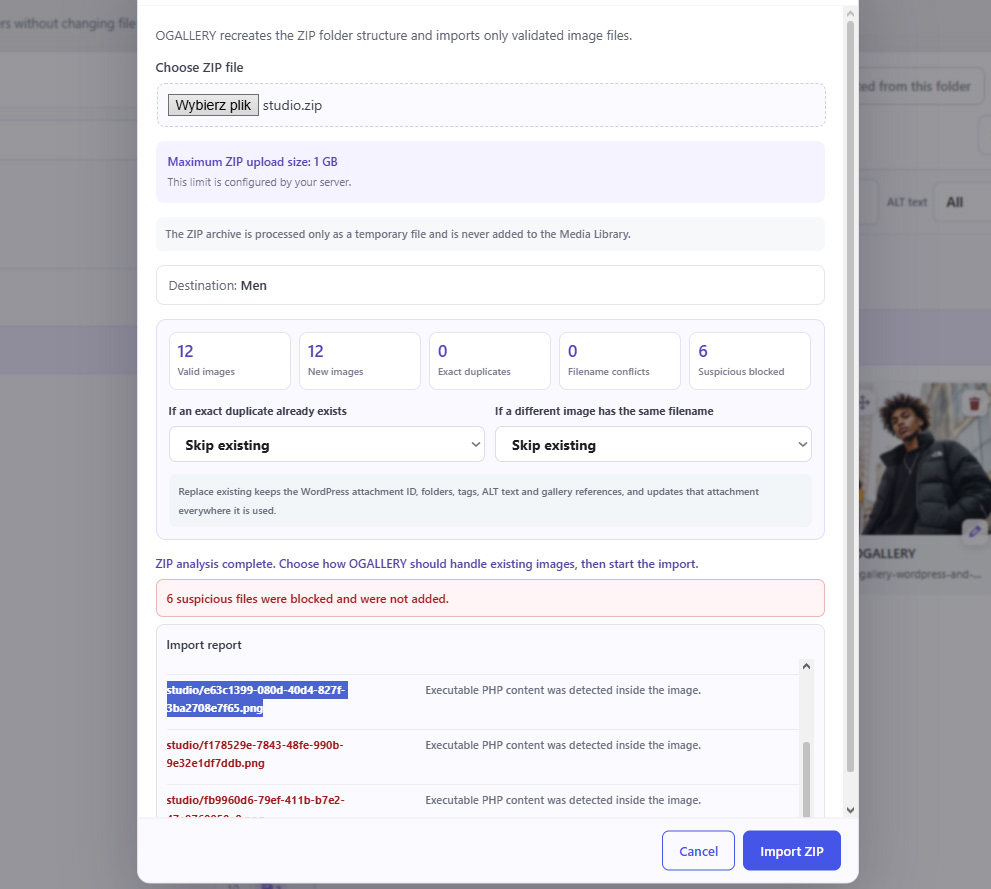
OGALLERY ZIP Import analysis, duplicate detection, security validation and import report

OGALLERY can:

01 Analyze a ZIP before importing
02 Detect valid images
03 Detect exact duplicates
04 Detect filename conflicts
05 Block suspicious files
06 Preserve folder structures
07 Create Media Folders from ZIP subfolders
08 Skip duplicates
09 Replace existing images when requested
10 Display live import progress
11 Cancel an import
12 Show a detailed import report

Ideal for importing complete shoots, events and photography archives.

GALLERY ALBUMS

Organize individual galleries into complete visual collections.

Albums can contain:

01 Galleries
02 Other albums

This allows true multi-level album structures.
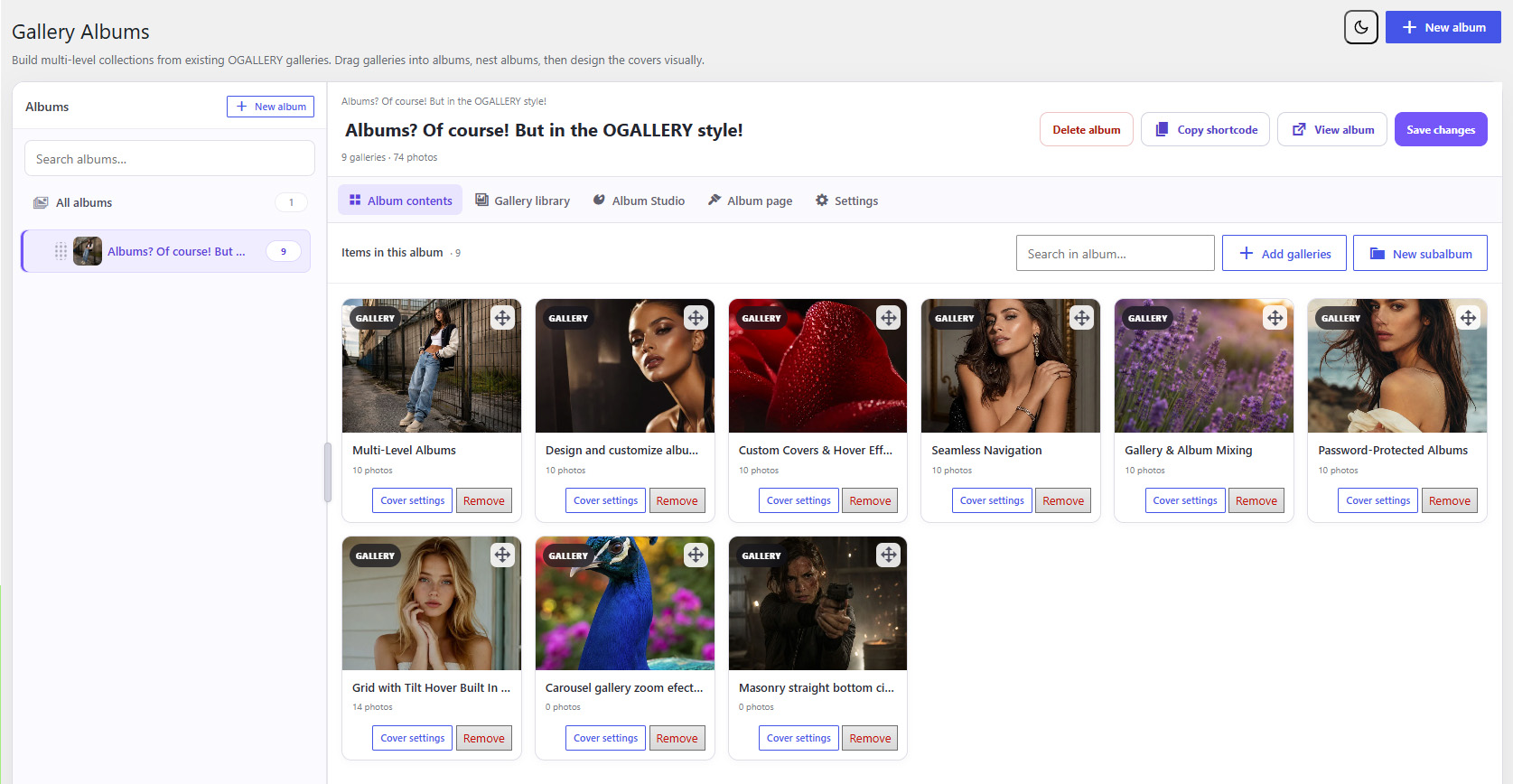
OGALLERY Gallery Albums manager with galleries and nested album structure
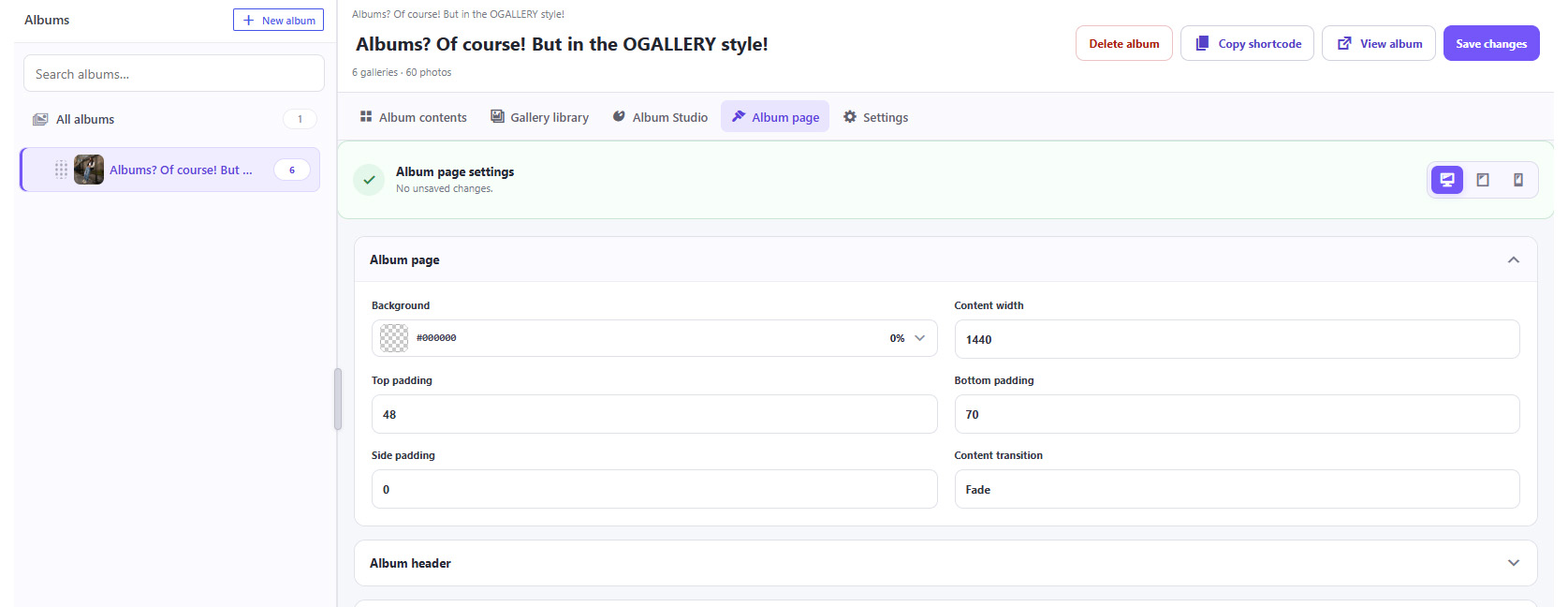
OGALLERY Album Page configuration
01 Create albums
02 Create nested albums
03 Drag galleries into albums
04 Move albums between albums
05 Reorder content
06 Select multiple galleries
07 Choose custom covers
08 Override titles
09 Add descriptions
10 Add labels
11 Add tags
12 Configure what happens when an album item is clicked

ALBUM STUDIO

Albums are not just boring lists of gallery links.

Style album collections visually using gallery-like layouts including:
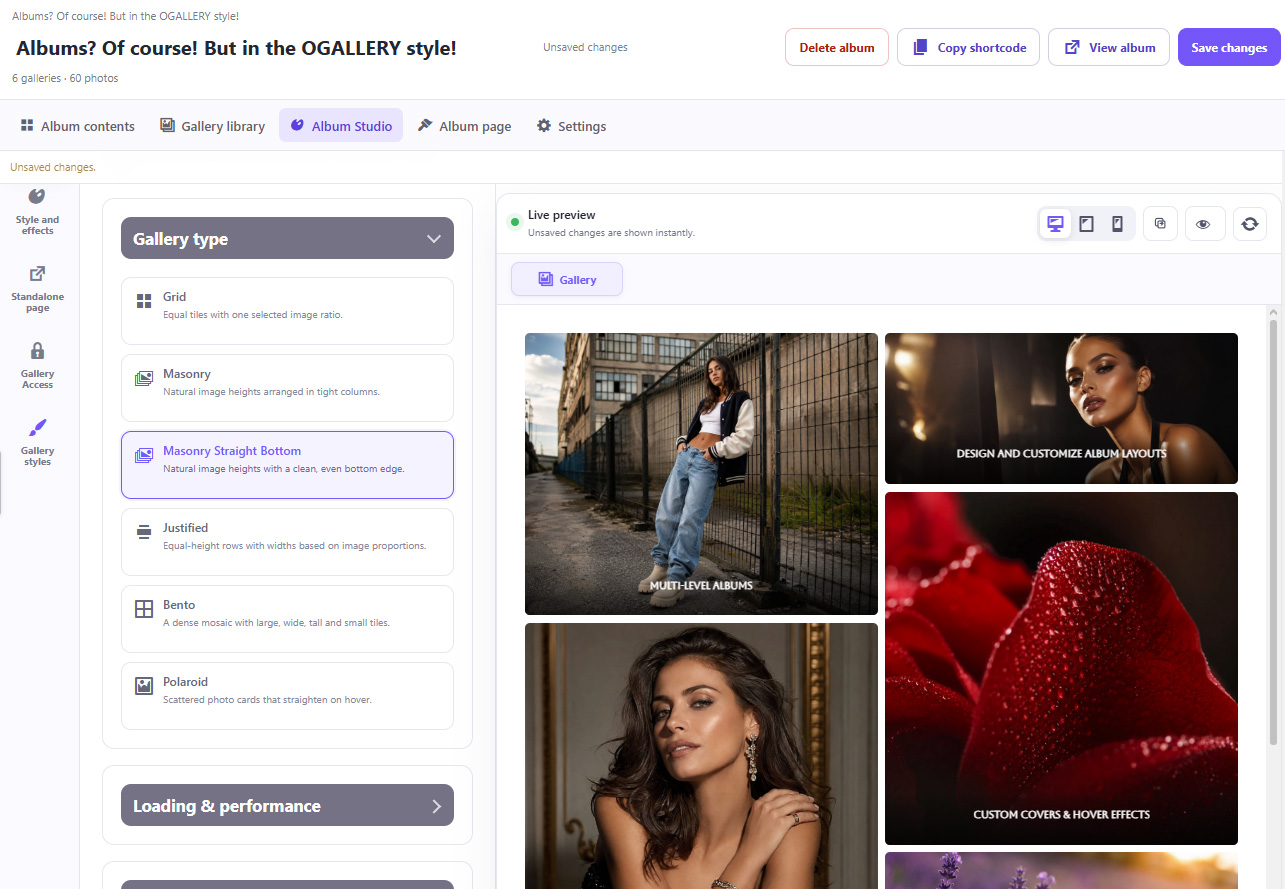
01 Grid
02 Masonry
03 Masonry Straight Bottom
04 Justified
05 Bento
06 Polaroid
07 Slider
08 Carousel
09 Podium-style presentations
OGALLERY Album Studio gallery-like layout selection and live preview
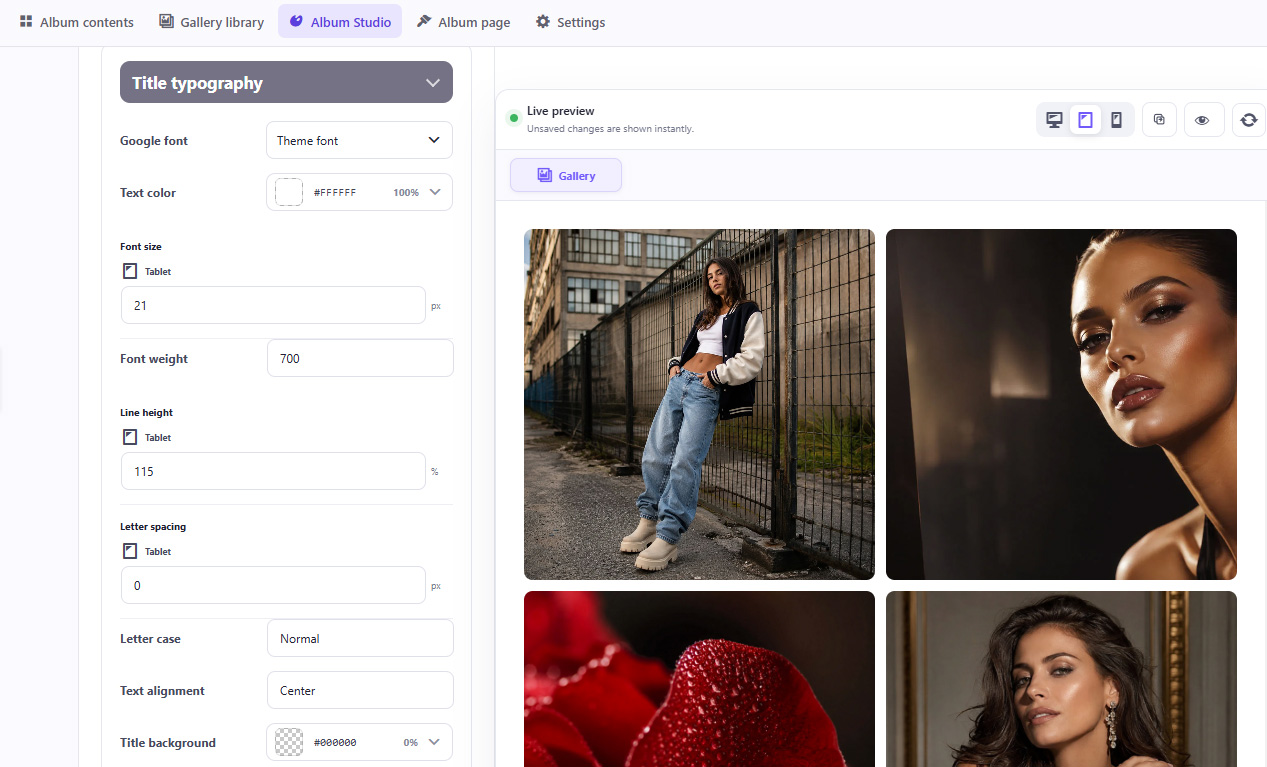
OGALLERY Album Studio responsive typography and album cover styling

Customize album covers with:

01 Title
02 Description
03 Image count
04 Labels
05 Overlays
06 Hover effects
07 Image fitting
08 Focal point
09 Typography

Album layouts can be configured separately for:

Desktop · Tablet · Mobile

Albums can also operate as their own independent presentation pages and can be password protected.

GALLERY STYLE PRESETS

Create a design once and reuse it.

Save gallery styling as reusable presets for:

01 Standard Galleries
02 Sliders
03 Product Galleries

OGALLERY also includes ready-made style presets to help build galleries faster.
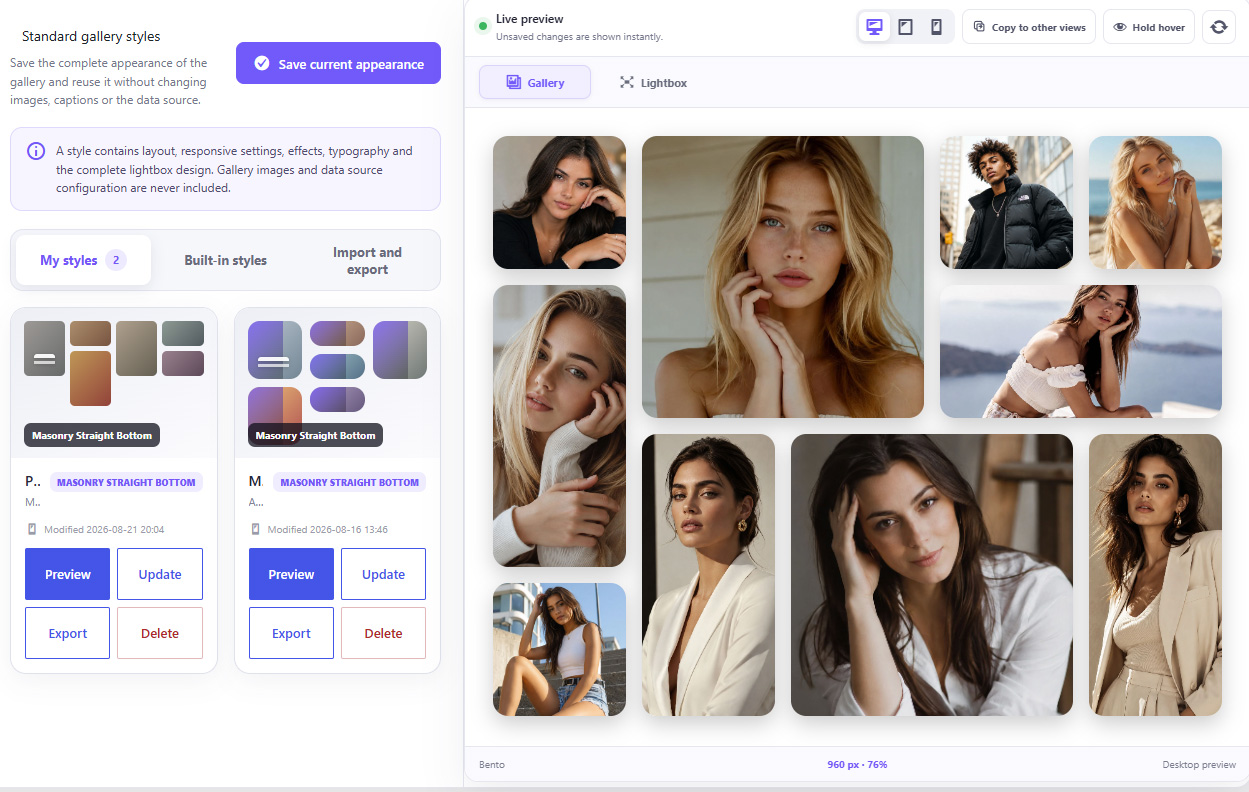
OGALLERY Gallery Style Presets library with saved and built-in styles
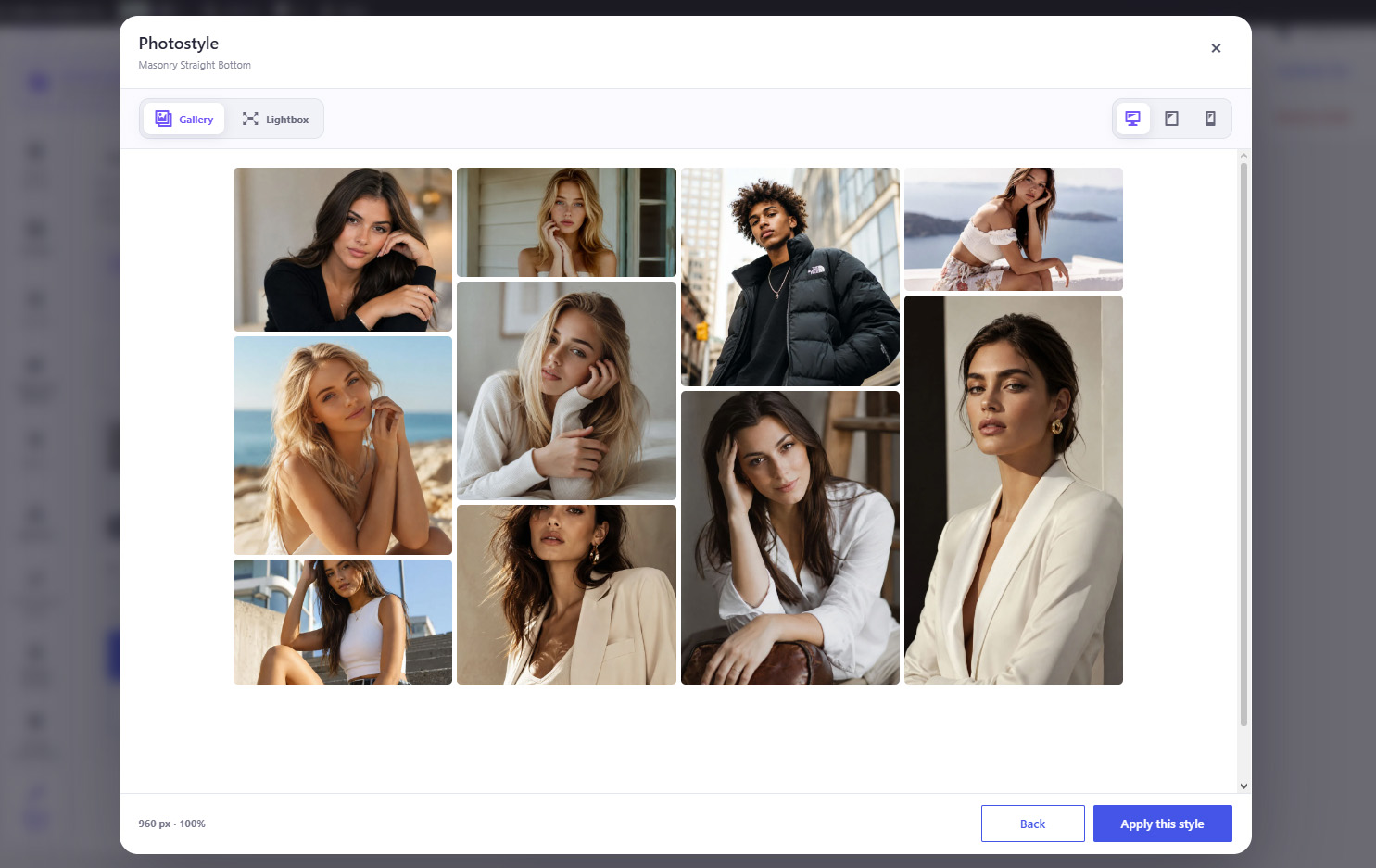
OGALLERY Gallery Style Preset preview before applying the style

Build reusable style libraries:

01 Export gallery style libraries
02 Import gallery style libraries
03 Keep Standard Gallery styles separate
04 Keep Slider styles separate
05 Keep Product Gallery styles separate

Perfect for agencies and designers maintaining multiple websites.

Reusable hover effects:

Custom Hover Studio effects have their own library.

Create an effect once and apply it to different galleries without rebuilding the animation.

Effects can also be imported and exported independently.

QUICK GALLERY WIZARD

Create a gallery quickly without configuring every advanced option.

The guided creation process helps you choose:
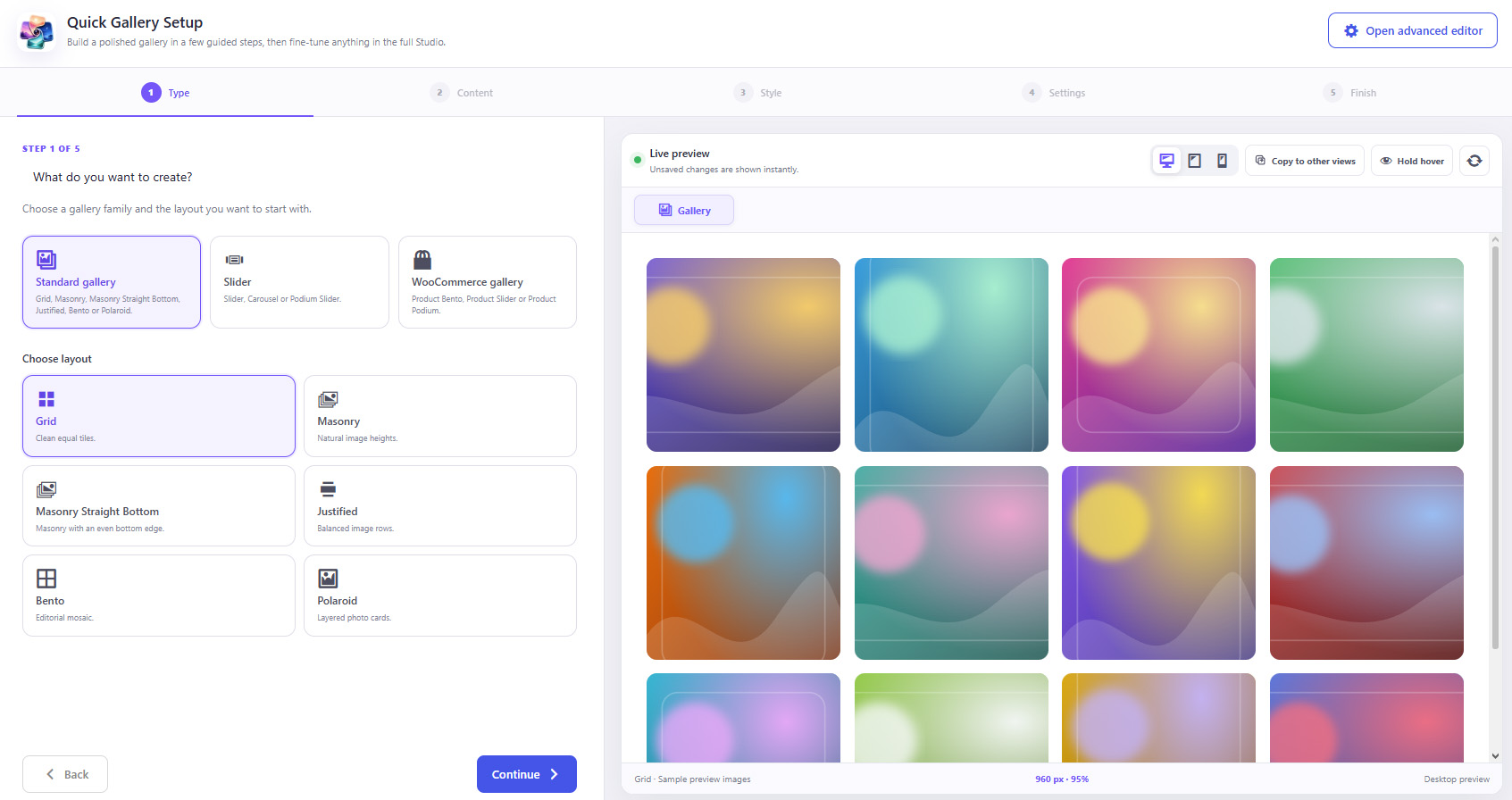
OGALLERY Quick Gallery Wizard with guided five-step gallery setup
01 What you want to create
02 Gallery layout
03 Content source
04 Visual style
05 Essential settings

Then review everything before creating the gallery.

Advanced users can continue directly into the full Gallery Studio.

MIGRATION FROM OTHER GALLERY PLUGINS

Already using another WordPress gallery plugin?

OGALLERY includes migration tools for:
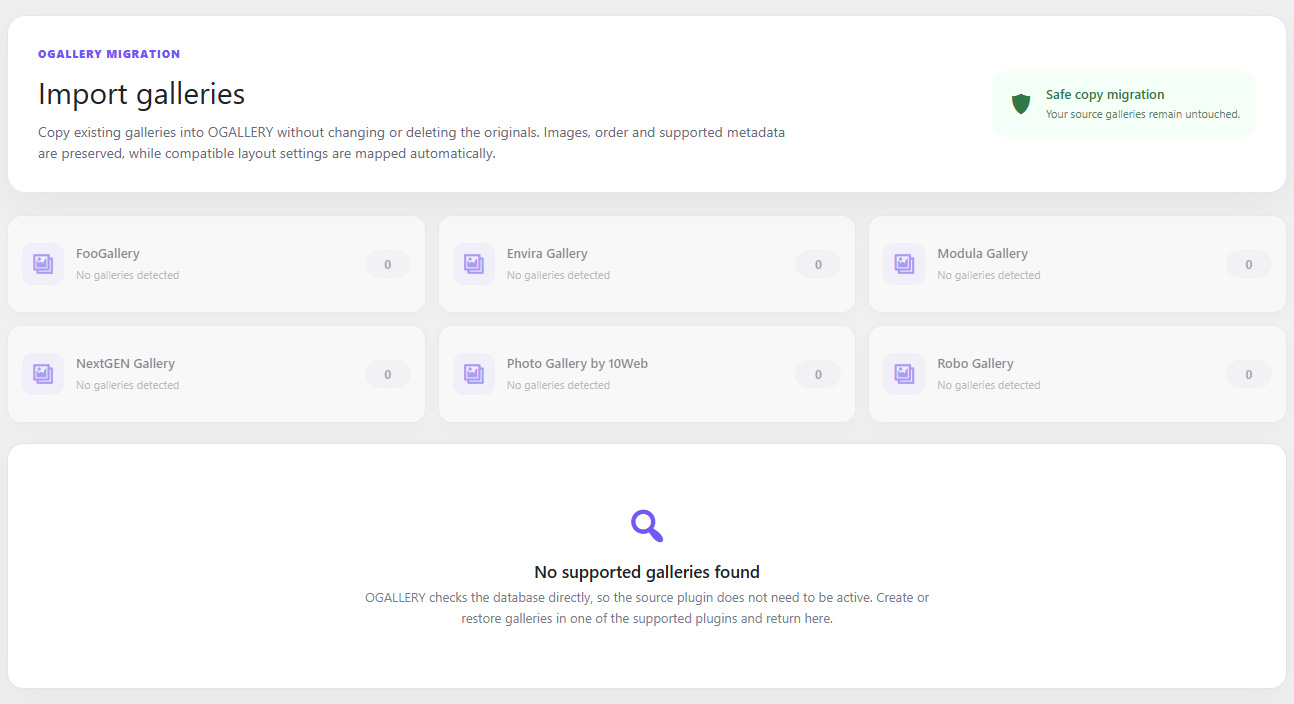
01 FooGallery
02 Envira Gallery
03 Modula
04 NextGEN Gallery
05 Photo Gallery by 10Web
06 Robo Gallery
OGALLERY migration tools for importing galleries from other WordPress gallery plugins

Import existing galleries into OGALLERY and reduce the work required to migrate an established website.

OGALLERY can also detect and replace supported gallery shortcode usage during migration.

IMAGE PROTECTION & ADVANCED WATERMARKING

Add an additional layer of protection to photography displayed online.

Available tools include:
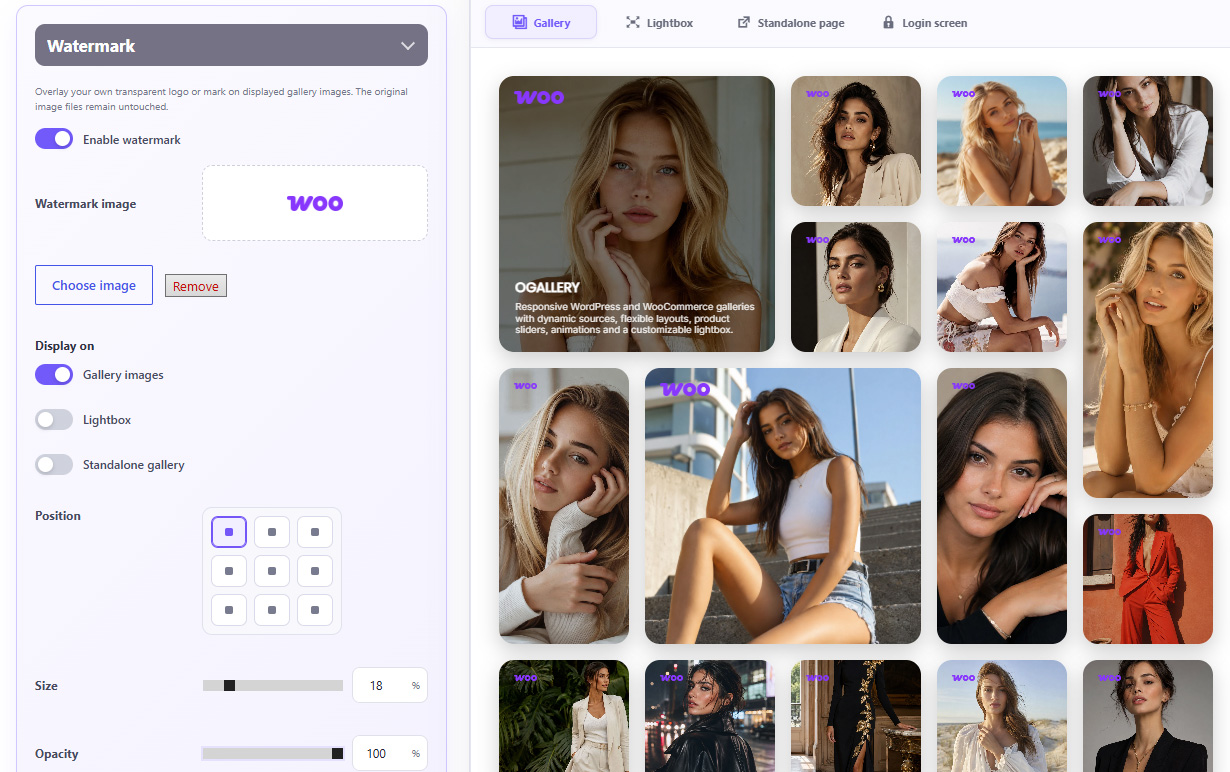
01 Right-click image protection
02 Custom image watermark
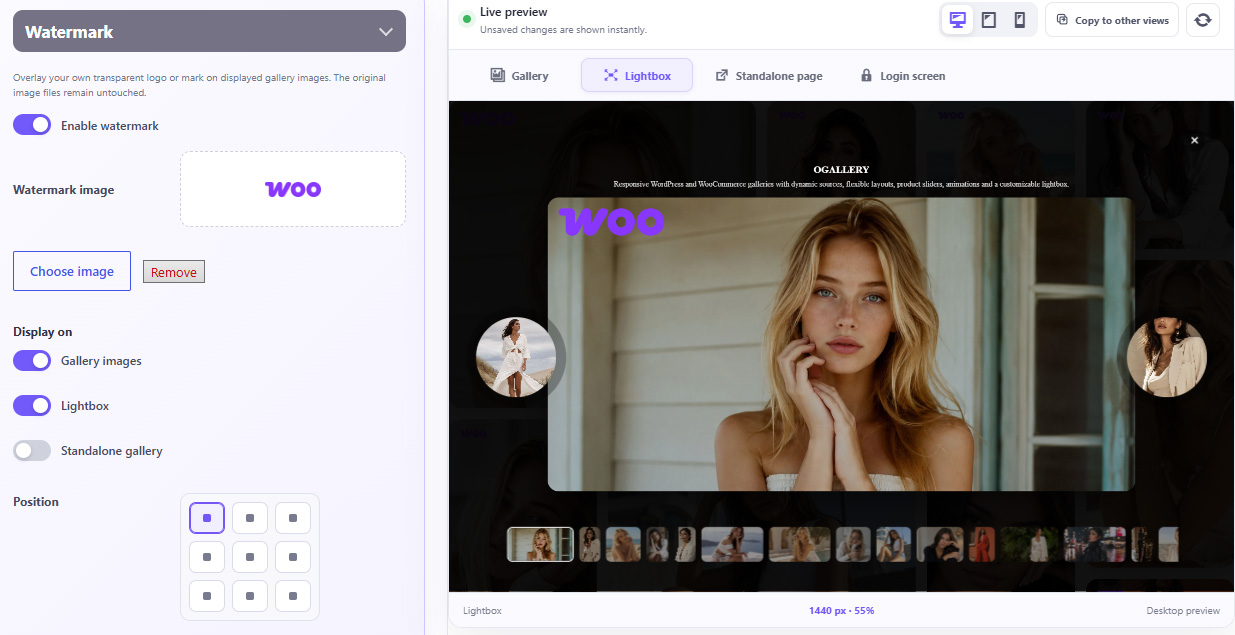
OGALLERY watermark displayed inside the Lightbox

Upload your own watermark and control:

01 Position
02 Size
03 Opacity
04 Horizontal offset
05 Vertical offset
06 Rotation

11 INTERFACE LANGUAGES

OGALLERY includes compiled interface translations for multiple languages.
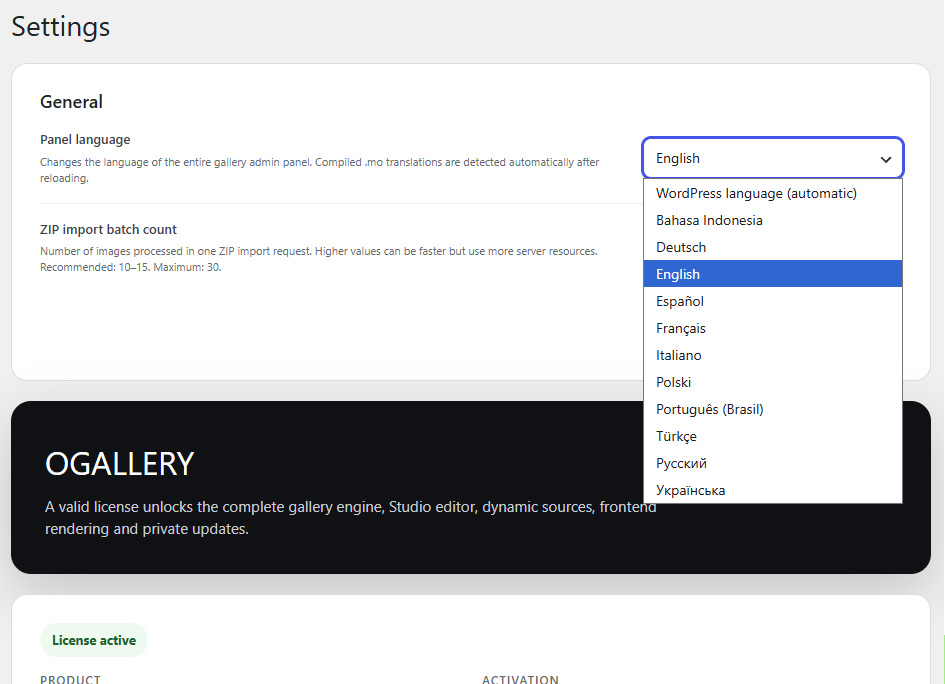
OGALLERY interface language selection in WordPress settings
01 English
02 German
03 Spanish
04 French
05 Italian
06 Polish
07 Portuguese — Brazil
08 Turkish
09 Indonesian
10 Russian
11 Ukrainian